 GameWiki
GET YOUR BEARINGS
About Yume Nikki
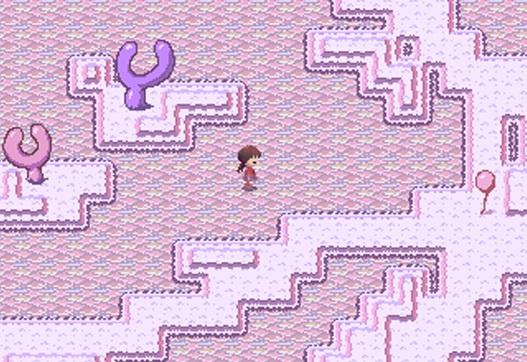
Yume Nikki is an indie adventure built with RPG Maker that lets players wander through surreal dream worlds at their own pace. The game contains no combat, dialogue, or explicit objectives, which creates a dark, foreboding atmosphere.
Exploration reveals hidden “Effects” that change the protagonist’s appearance. Some Effects trigger special animations when the player presses 1 or 3 on the numeric keypad, and they can be discarded only in rooms that have many doors.
01 / THE GUIDE
Open‑ended Exploration
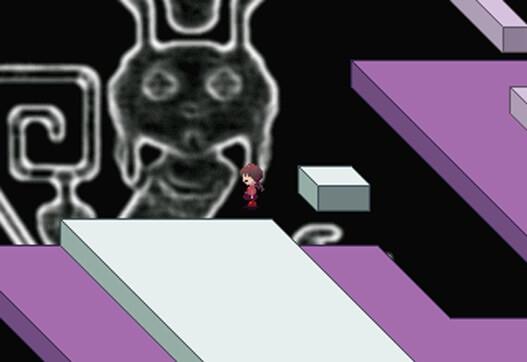
The core experience consists of unrestricted movement through a series of visually distinct rooms. Because there are no set quests, players decide how long to linger in each area, reinforcing the unsettling mood described in the source.
Rooms that contain many doors are the only locations where Effects can be removed. With no dialogue, visual cues guide the player toward these multi‑door rooms and toward hidden Effects.
- Count exits in each room; many‑door rooms are required for discarding Effects.
- Look for recurring visual motifs that often indicate areas where Effects may be hidden.
02 / THE GUIDE
Effects Collection and Usage
When a character or item is checked, an Effect is added to the inventory. Activating an Effect changes the main character’s appearance and may enable a special animation.
Pressing 1 or 3 on the numeric keypad while an Effect is active triggers its unique animation. Using the same Effect again reverts the character, and Effects can only be discarded in rooms with many doors.
- After applying an Effect, try both the 1 and 3 keys to discover its animation.
- Plan a route that includes a multi‑door room before attempting to discard unwanted Effects.
03 / THE GUIDE
Display‑Mode Glitch Fix
Some players encounter aspect‑ratio or visual glitches. The official remedy is to switch the display mode, which often resolves the distortion.
Pressing F4 or Alt + Enter toggles Window mode, providing a quick way to change how the game is rendered without leaving the session.
- If the screen looks stretched, press F4 to toggle Window mode.
- Alt + Enter offers an alternative shortcut for the same purpose.
04 / THE GUIDE
Japanese Version Compatibility
The Japanese language files are coded to run only when the operating system’s locale is set to Japanese. Running the Japanese version on a different locale may cause the game to crash.
Changing the system locale to Japanese before launching the game allows the Japanese text to load correctly and prevents the crash described in the source.
- Adjust your OS locale to Japanese if you want to play the original language version.
- Restart the computer after changing the locale to ensure the setting takes effect.
05 / THE GUIDE
Platform and Feature Support
Yume Nikki is officially released for Windows and supports single‑player gameplay. The listing also mentions partial controller support, though the core mechanics rely on the documented key actions.
Family Sharing is listed as a feature, indicating the game can be accessed by multiple Steam accounts on the same device.
- Use the documented key actions for full Effect functionality; controller input may be limited.
- Family Sharing allows other accounts on the same PC to launch the game.
COMMUNITY
Player discussion