 GameWiki
GET YOUR BEARINGS
About Weed Supermarket Simulator
Weed Supermarket Simulator puts you behind the counter of a first‑person weed shop. You arrange shelves, display cases, counters, fridges and locked cases, then serve customers by scanning items and handling cash in a relaxed, untimed environment.
The game also lets you build a grow room, plant seeds, tend to plants, and harvest weed. Profits can be spent to enlarge the shop, improve interiors, and unlock new strains for sale. It runs on Windows and includes Steam features such as achievements, cloud saves and family sharing.
01 / THE GUIDE
Store Setup
You can place shelves, display cases, counters, fridges and locked cases wherever you like inside the shop. The description notes that arranging these surfaces makes shopping easy and fun for all kinds of customers, giving you full control over layout.
All items—including bongs and other smoking gear—are placed on the surfaces you set up. Because placement is player‑driven, you can design a layout that matches your preferred flow and keeps products visible to shoppers.
- Group similar products on the same surface to reduce the distance you travel while restocking.
- Leave clear space near the entrance for quick access to high‑traffic items.
02 / THE GUIDE
Grow Room Management
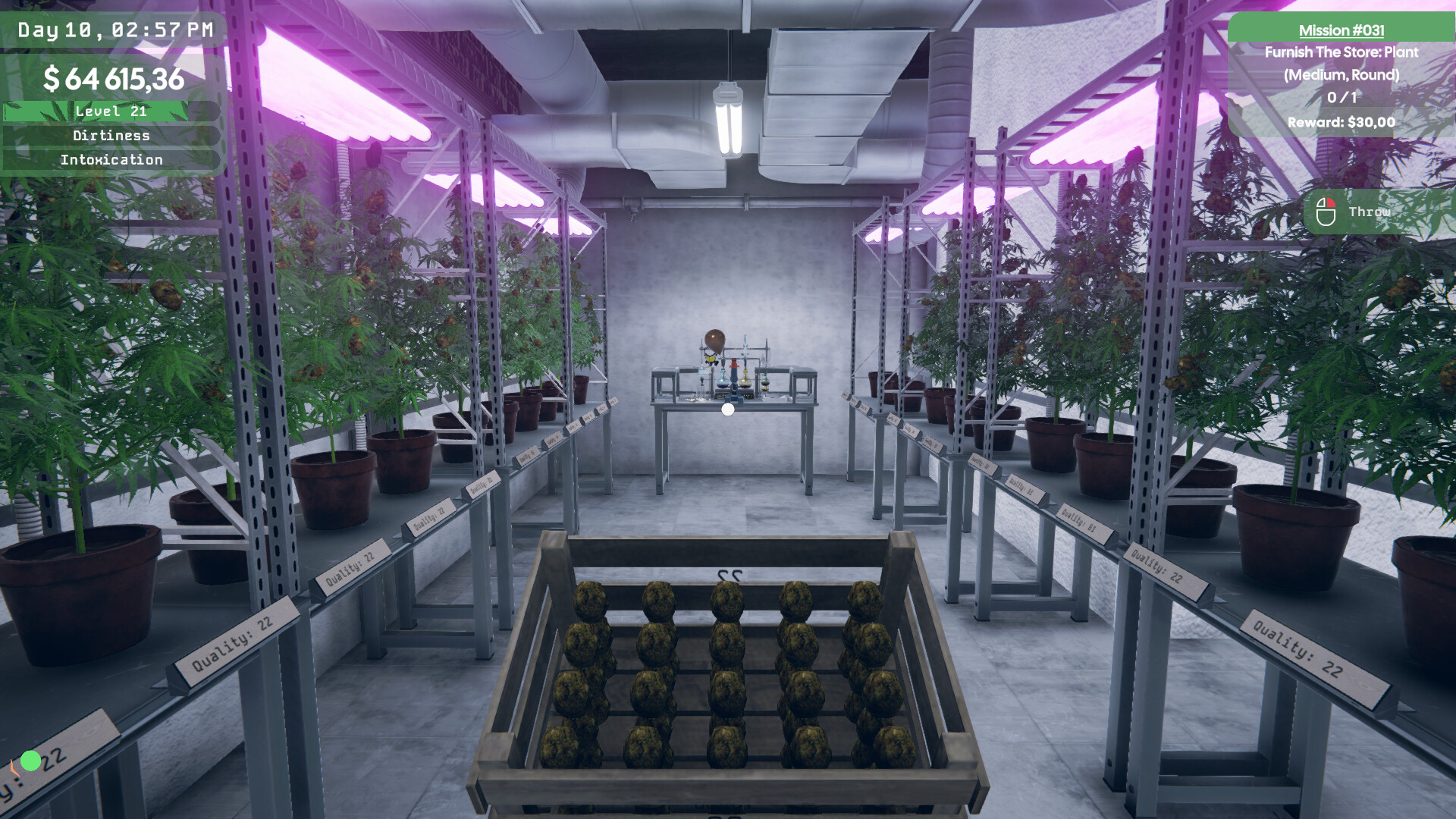
The game lets you build a grow room where you plant seeds and care for them until harvest. The description states that you take care of your plants, though the description does not detail the specific care actions involved.
Harvested weed can be sold in your shop, and higher‑quality strains are described as selling for more. This links the care you give in the grow room directly to potential revenue.
- Tend to your plants regularly while they grow from seed to harvest.
- Plan your grow room setup early if you intend to cultivate multiple strains.

03 / THE GUIDE
Inventory & Ordering
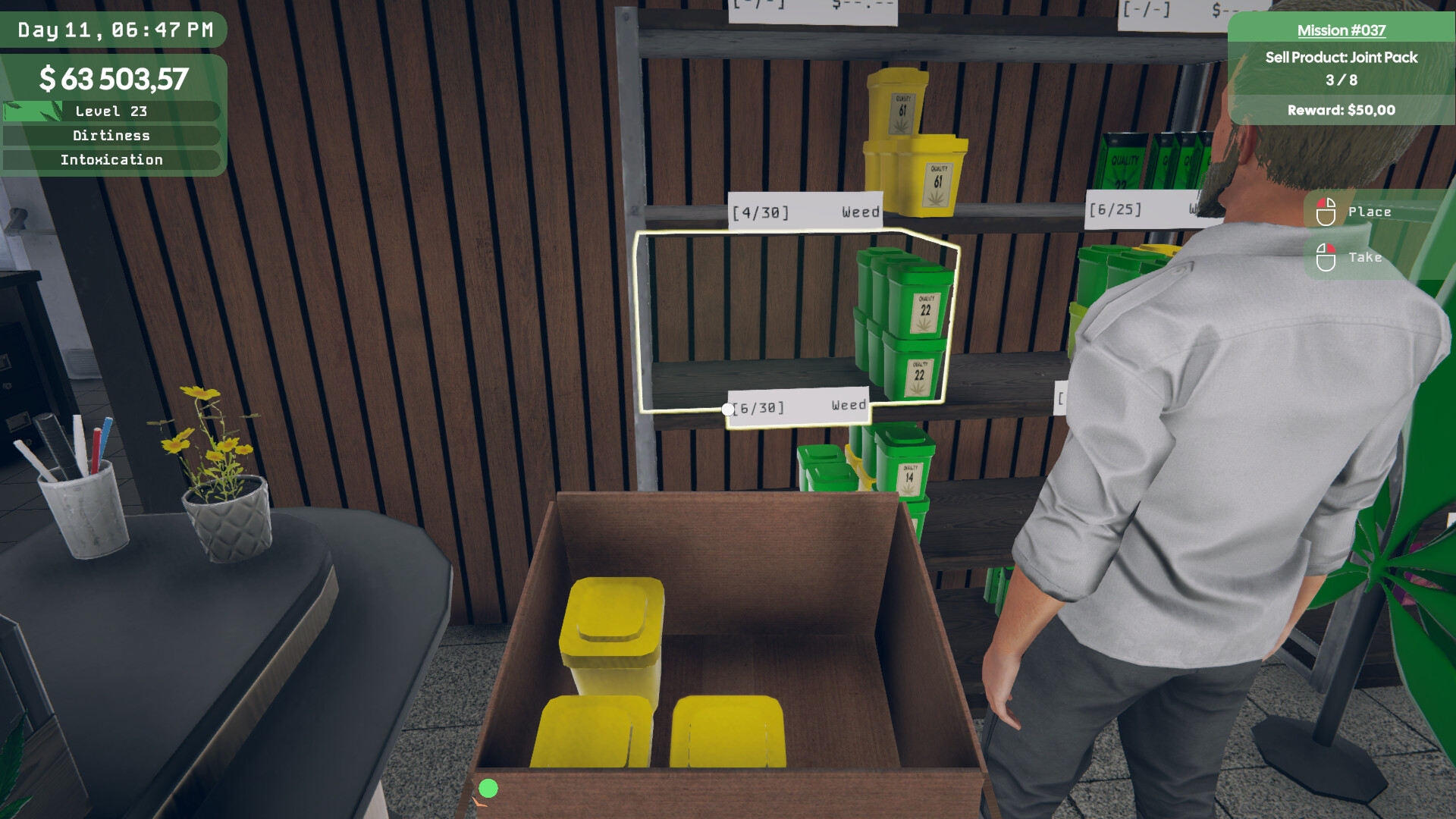
An in‑game computer allows you to order weed and related supplies. Deliveries arrive as boxes that you can unpack and store in a back room before placing items on the shop floor.
The description mentions placing products on shelves, in fridges, or in locked display cases after unpacking. Organizing the back room therefore helps you keep track of stock and ensures items are ready for display.
- Keep a small buffer of high‑demand items in the back room to avoid empty shelves.
- Note what each box contains as you unpack to speed up placement on shelves.
04 / THE GUIDE
Customer Service
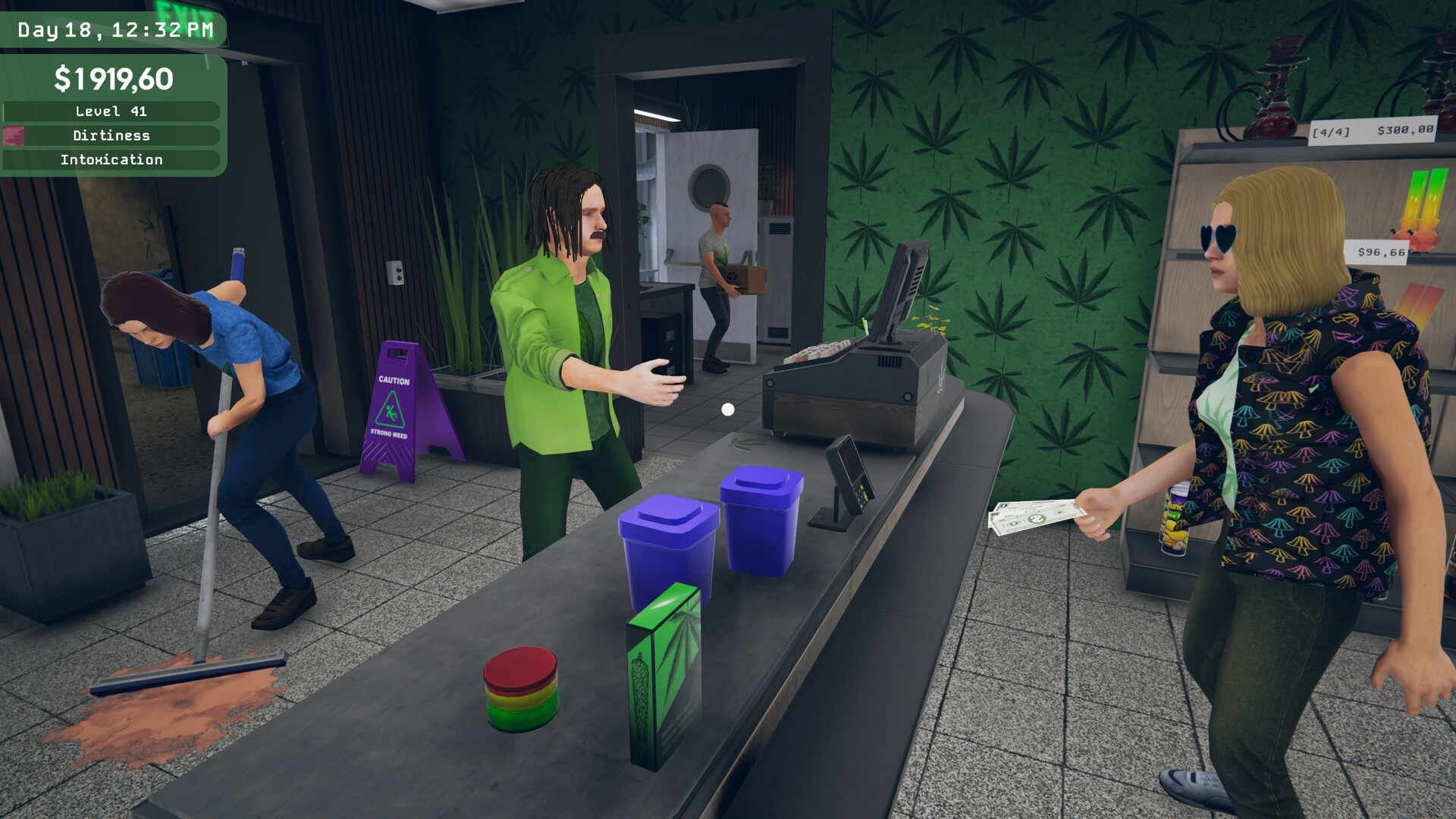
At the counter you scan items, accept cash, and serve customers. The game is tagged as playable without timed input, so you can handle each shopper at a comfortable speed.
The description notes that you keep everyone happy—or at least nicely high—indicating that successful transactions are the primary goal of the service portion.
- Double‑check scanned items to avoid pricing mistakes.
- Take your time with each transaction since the game does not enforce a time limit.
05 / THE GUIDE
Business Expansion
Profits can be reinvested to make the shop bigger, improve interior décor, and unlock new strains. The description states that these upgrades let you sell premium products, linking expansion directly to new inventory options.
Each upgrade builds on the previous layout, so planning your expansion path early can make later renovations smoother and keep the shop functional as it grows.
- Prioritize interior upgrades that open additional shelf space.
- Unlock premium strains after you have a stable inventory to display them.

COMMUNITY
Player discussion