 GameWiki
GET YOUR BEARINGS
About VR Flush
VR Flush drops you onto a real‑world toilet that suddenly beams you aboard an alien ship. The sole early task is to flush, which launches the player to an examination platform where they must interact with objects to convince an AI of their intelligence.
Developed by Brudingo Broductions as a 2015 student project, the experience was updated in 2018 with UE4.15, VR performance tweaks, and support for Oculus Rift CV1 and HTC Vive. It is free on Windows and can be played with or without a headset.
01 / THE GUIDE
Gameplay premise
The player starts seated on a toilet; flushing triggers a scripted transport to an alien examination room. Interaction consists of picking up and examining objects, most notably a green toilet‑paper roll that the AI evaluates.
The experience is single‑player and linear: completing the AI’s test ends the game, after which credits roll upward from the toilet floor.
- Focus on the green toilet‑paper roll; it is the key item for the AI test.
- Watch for the animated Loot Toilet decal; it signals loot spawns.
02 / THE GUIDE
Control scheme
Keyboard shortcuts include ALT+ENTER for fullscreen, F to show FPS, SPACE to toggle Oculus Rift mirror modes, LEFT/RIGHT to rotate grabbed objects, and ESC to quit. Motion controllers for Rift CV1 and HTC Vive are also supported.
In VR, objects can be targeted and grabbed precisely; the crosshair becomes a 3D mesh that lights up when an interactive object is focused.
- Use LEFT/RIGHT keys when rotating items with mouse input.
- Press SPACE on Rift to switch between mirror display modes.

03 / THE GUIDE
VR support
VR Flush runs on Oculus Rift CV1 and HTC Vive with tracked controller support. The crosshair is rendered as a foreground 3D object, improving depth perception during object interaction.
The game can also be played without an HMD; in that mode the initial resolution test is skipped after 30 seconds, though the developers note it is “much more fun in VR.”
- If motion sickness occurs, note the slower transport to the examination platform.
- Allow the 30‑second auto‑skip when playing without a headset.
04 / THE GUIDE
Loot Toilet feature
An animated decal called the Loot Toilet sits beside a window. Looking at it triggers a short animation, and interacting spawns loot categorized as regular, rare, epic, or legendary.
Loot can alter the surroundings or create new items. The green toilet‑paper roll dissolves with a teleport effect when collected, distinguishing it from the white rolls covered by a magazine.
- Approach the Loot Toilet slowly to ensure the animation plays fully.
- The green toilet‑paper roll is the key item, marked by its dissolve teleport effect.
05 / THE GUIDE
Spaceship sequence
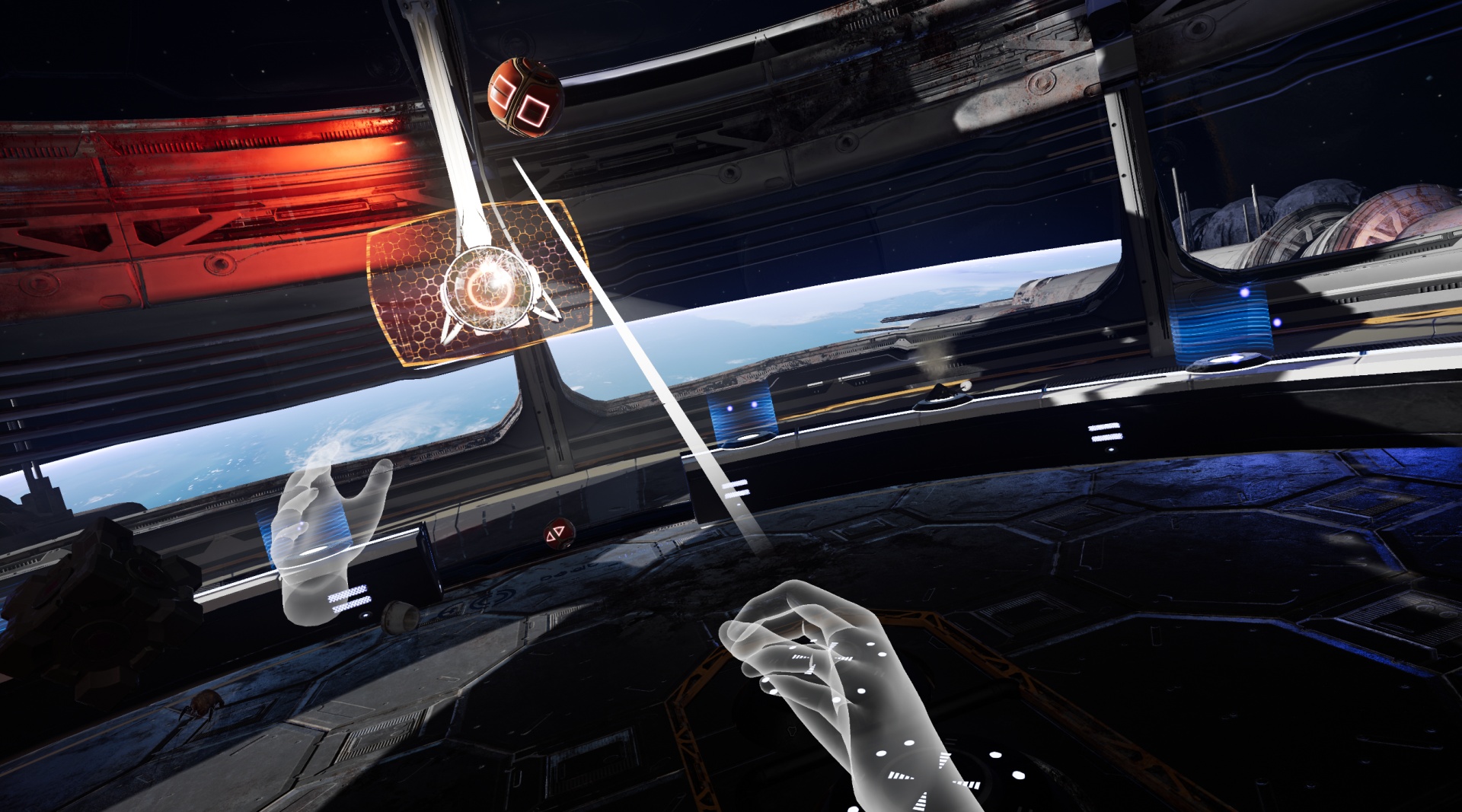
After flushing, the green toilet‑paper hovers before the player's eyes and moves toward an examination platform. A robot flies to the platform and begins analyzing the paper, with transport speed tuned to reduce motion discomfort.
All spaceship screens switch to a human image upon arrival, laser impacts have been refined, and decals have been reordered for better readability.
- Observe the robot’s movement; it indicates when analysis starts.
- Watch the screen change to confirm you have reached the examination area.



COMMUNITY
Player discussion