 GameWiki
GET YOUR BEARINGS
About Vermillion - VR Painting
Vermillion is a VR‑only oil‑painting simulation that provides a virtual studio with realistic wet‑on‑wet mixing, layered canvases, and a variety of brushes. It runs on Windows PCs and supports tracked controllers for precise brush handling.
The app includes a built‑in web browser for YouTube tutorials, a paint‑by‑numbers generator from any image, and multiplayer for up to four artists who can share palettes, layers, and canvases. Finished works can be mounted, exported as high‑resolution images, or saved as 3‑D models.
01 / THE GUIDE
Paint‑by‑Numbers Templates
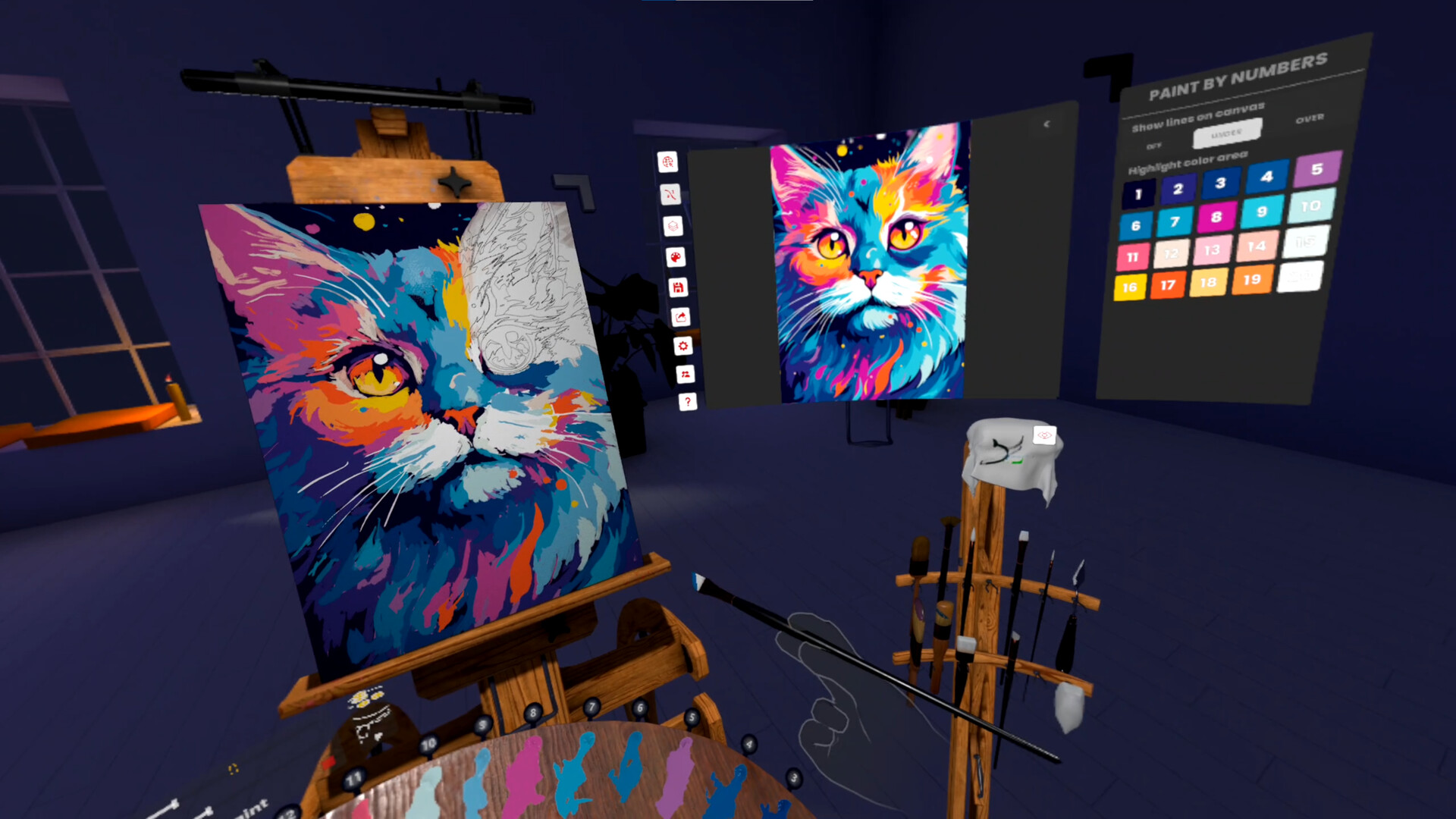
Vermillion can generate a paint‑by‑numbers template from any image stored on your PC or found online. The system creates outlines that can appear above or below the paint and automatically fills a palette with between two and twenty colors.
You can adjust the level of detail for the outlines, and you may isolate a single color’s outlines to apply the correct hue without visual clutter. Changing detail influences the complexity of the generated outlines.
- Start with a low‑detail setting to finish quickly, then increase detail for finer results.
- Use the isolate‑color view to focus on one hue at a time.
02 / THE GUIDE
Multiplayer Painting Studio
Up to four participants can paint together in a shared studio, each seeing the same canvas and palette. Players may collaborate on a single piece, teach a class, or host a virtual paint night, with layers available for detail work.
Vermillion can run as a SteamVR overlay, allowing the studio to appear inside other VR games. The overlay is visible only to players inside the Vermillion session, so external participants cannot see the painting equipment.
- Agree on a palette order before starting to avoid color conflicts.
- Assign each player a separate layer for detailed work and merge them later.
03 / THE GUIDE
Realistic Wet‑on‑Wet Color Mixing
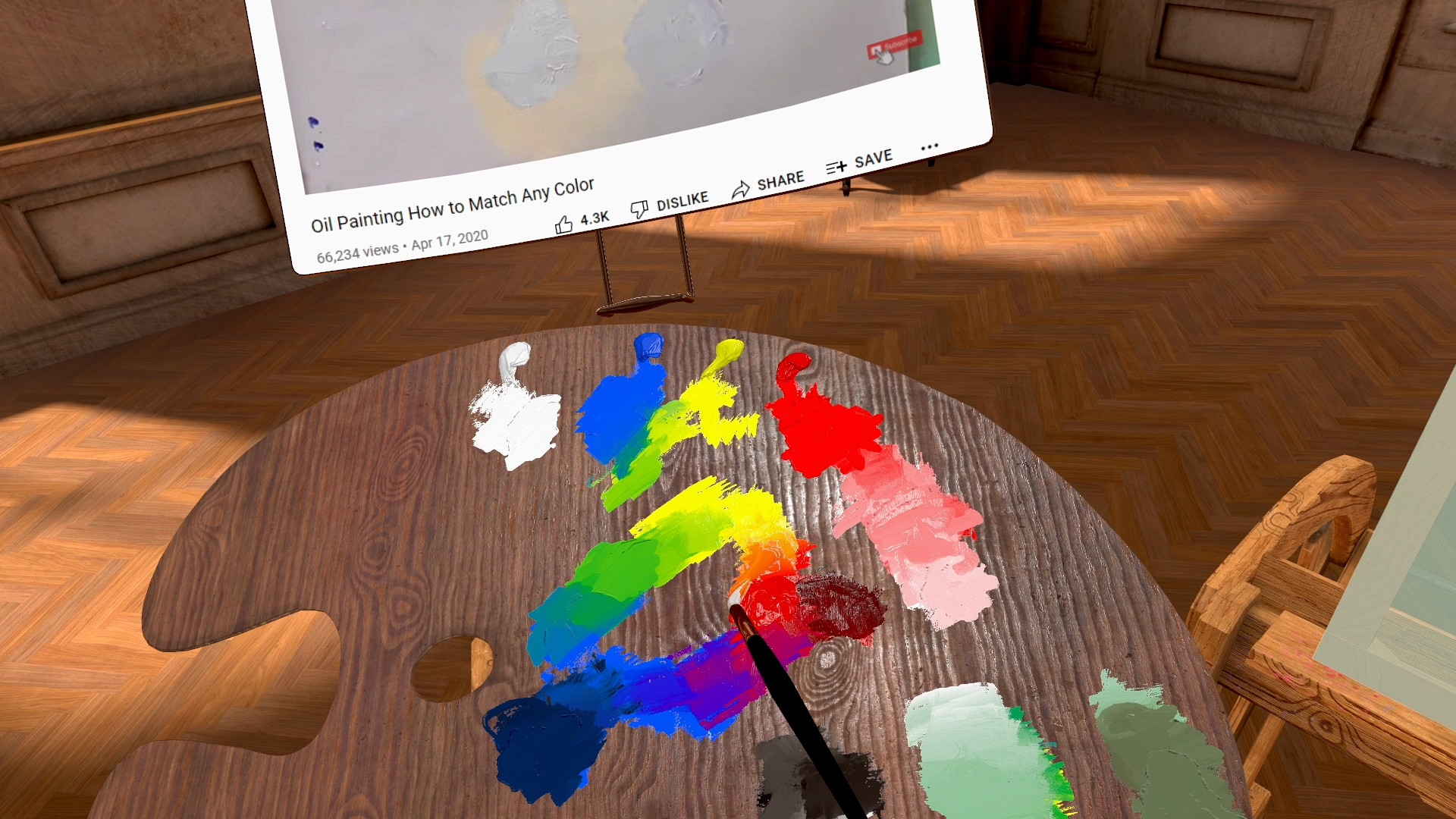
Brushes can be dipped into multiple colors, and whisking the brush on the palette creates new hues—yellow and blue produce green, for example. Mixing occurs both on the palette and directly on the canvas, enabling smooth gradients with few strokes.
A dry brush can be used after wet mixing to further blend colors or move paint across the surface, allowing effects such as reflections, grass, or subtle shading without adding new pigment.
- Experiment with whisking on the palette to discover custom secondary colors.
- Apply a dry brush after wet blending to soften harsh edges.
04 / THE GUIDE
Integrated Browser & Canvas Projection
An easel‑mounted web browser sits beside the canvas, giving instant access to YouTube tutorials, reference images, or local files. The browser can be projected onto the canvas, turning any displayed image into a traceable guide.
The game includes an hour‑long paint‑along that teaches you to paint a robin, demonstrating how the browser and projection features support beginners without needing external equipment.
- Project a reference image to keep proportions accurate while you work.
- Pause tutorial videos at key steps to practice before continuing.
05 / THE GUIDE
Exporting and Sharing Your Work
When a painting is finished you can mount it in the virtual studio for display, export it as an image up to 8 k resolution, or save it as a 3‑D model for use in other VR homes or social applications.
Exported works can also be shared through Sketchfab, giving a straightforward way to showcase your art outside the game environment.
- Export an 8 k image if you plan to print the artwork at large size.
- Use the 3‑D model export to place your painting as a decorative object in another VR space.


COMMUNITY
Player discussion