 GameWiki
GET YOUR BEARINGS
About Tower Lab
Tower Lab is an experimental sandbox where physics is the sole weapon. Players place towers that push, pull, bounce, grow, shrink, or fling robot enemies off the map, and the game shows no health or damage numbers. The title mixes roguelite progression with an unrestricted sandbox. Between runs you can buy items, refresh the shop, and upgrade towers, while a separate sandbox mode lets you build, decorate, and share levels via the Steam Workshop.
01 / THE GUIDE
Physics‑Based Towers
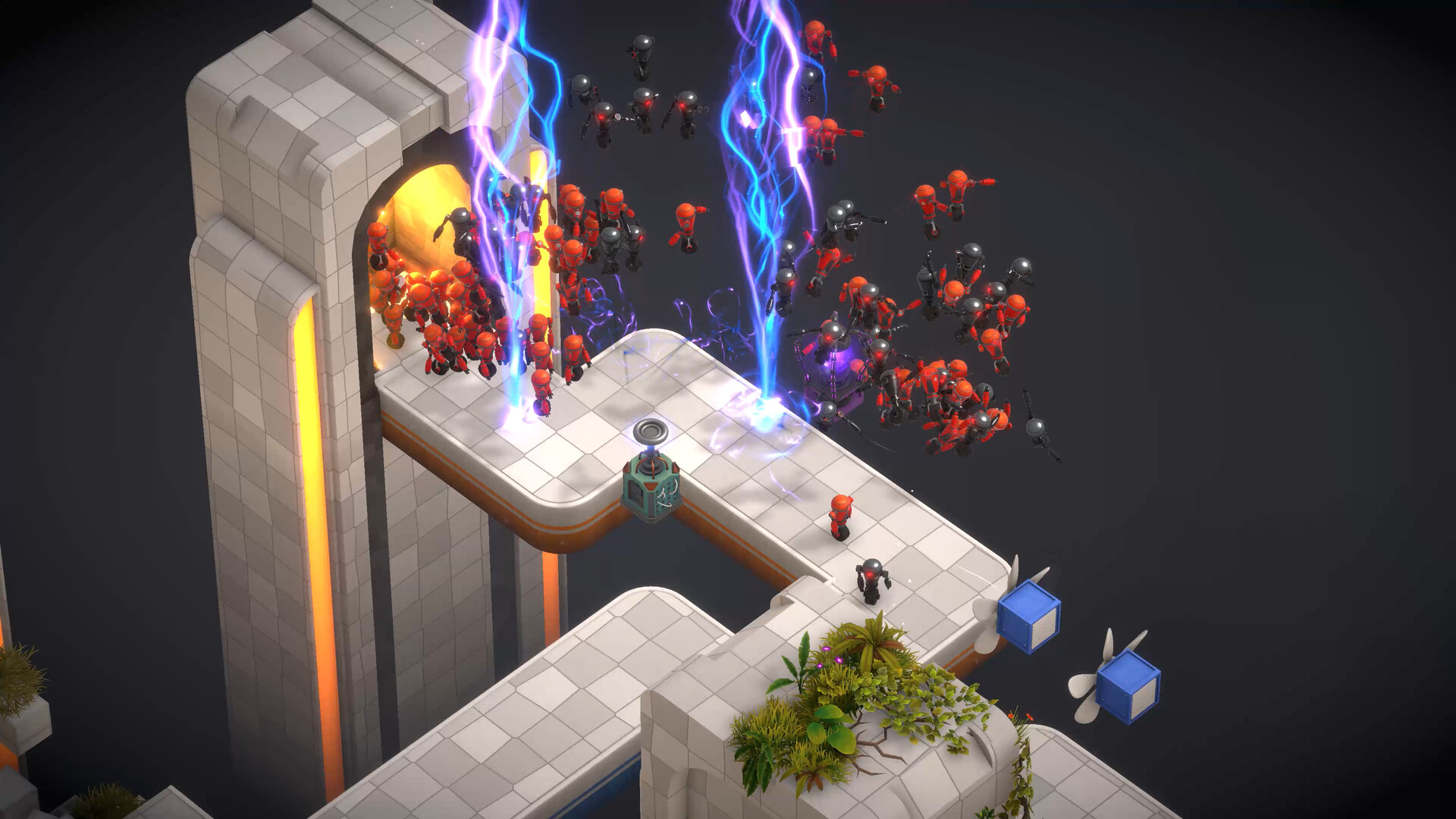
Towers act as pure physics objects: they can push, pull, bounce, grow, shrink, and fling robots. Their effects emerge from how they interact with each other and with the robots. You can place towers in any open space and move them freely, allowing endless experimentation with different setups and combinations.
- Try positioning a pull tower near a push tower to create a tug‑of‑war that can launch robots farther.
- Observe how a growing tower changes the momentum of nearby robots for larger flings.
02 / THE GUIDE
Roguelite Campaign Progression
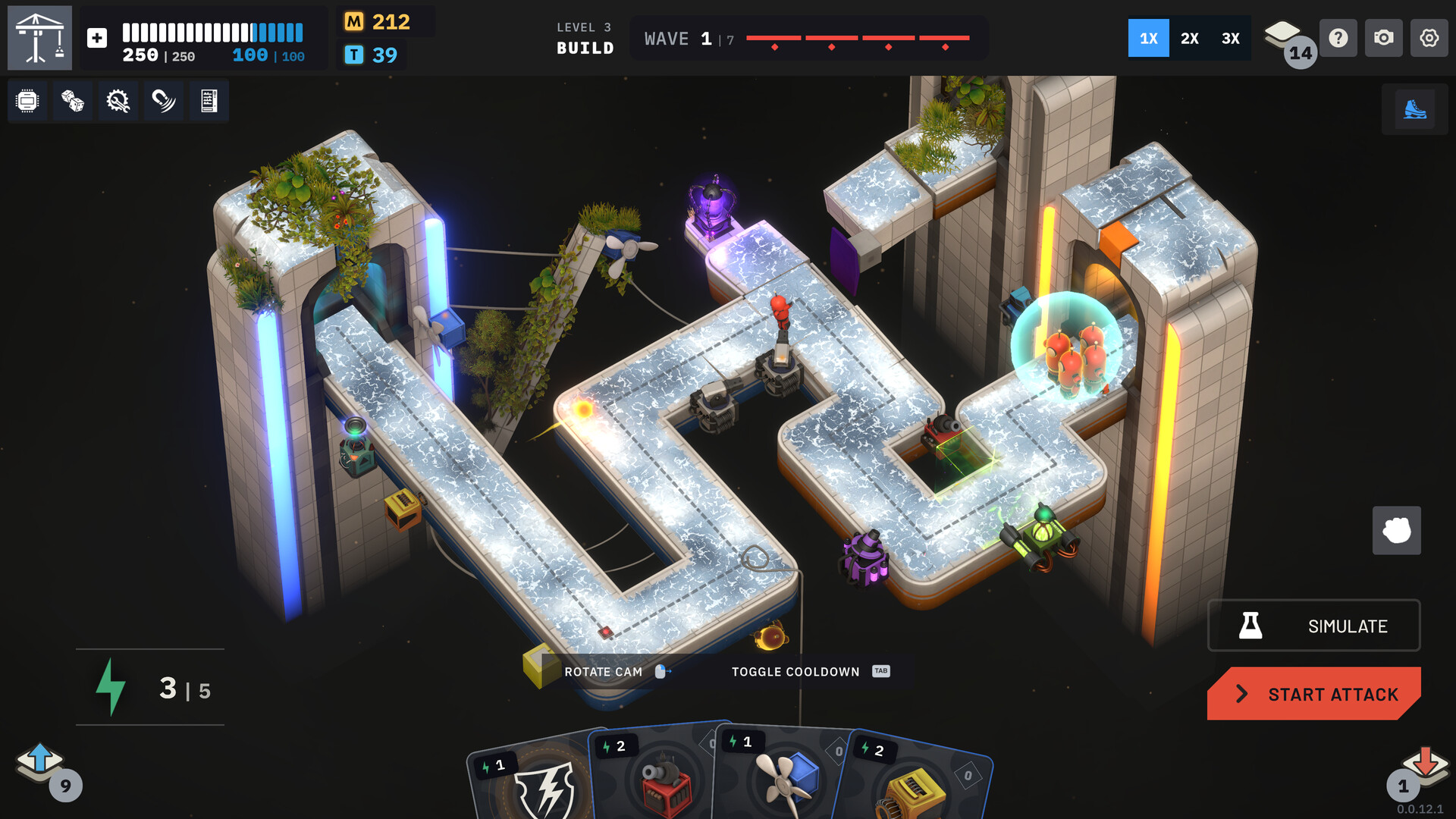
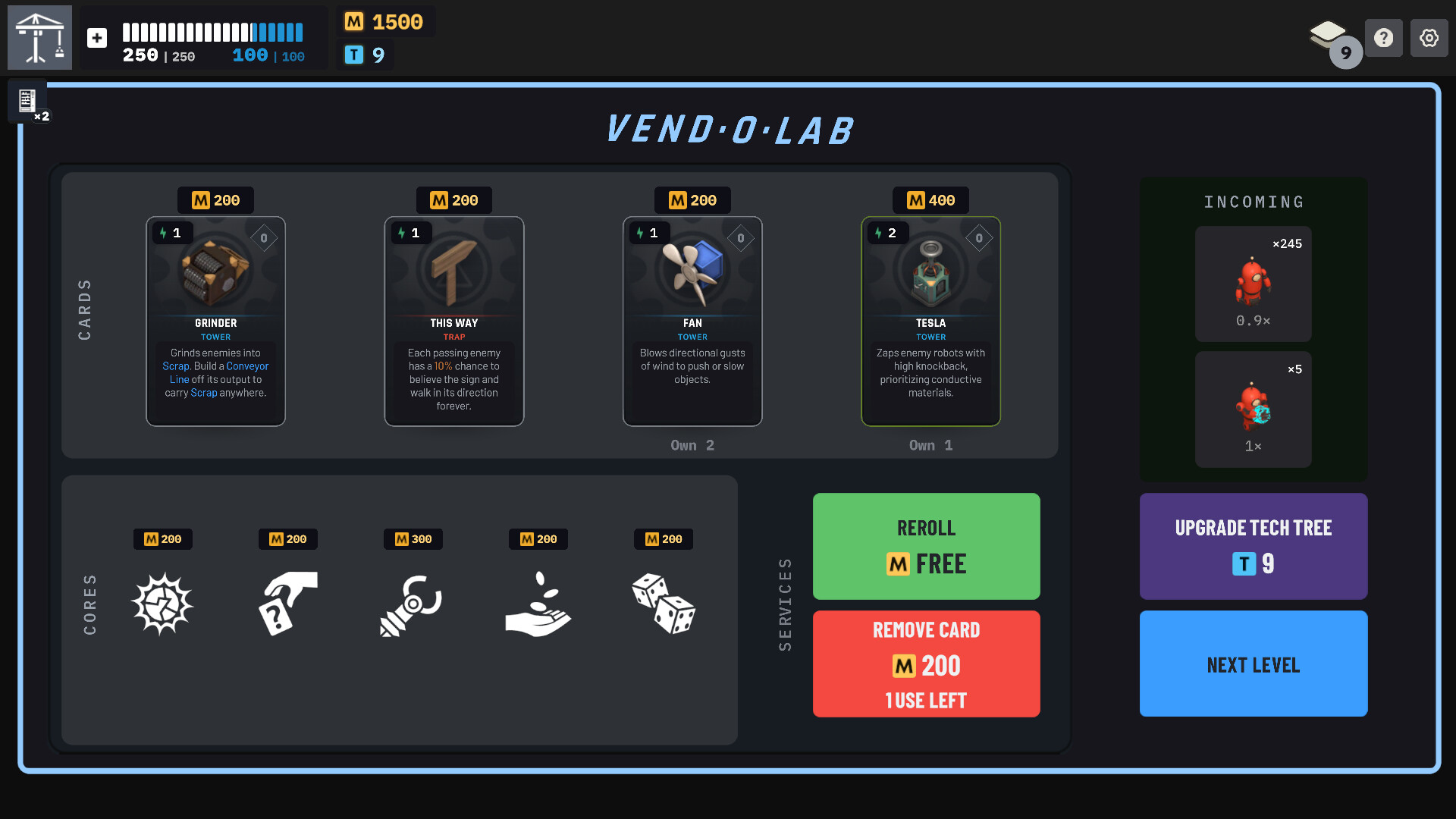
Each run lets you buy items, refresh the shop, remove cards, and upgrade your setup. These purchases shape the next attempt, adding a risk‑and‑reward layer to the physics sandbox. The campaign is structured as a series of runs, encouraging players to refine tower combinations over time.
- Invest in items that modify tower mass early to control robot movement more predictably.
- Use shop refreshes to access towers that complement your current synergies.
03 / THE GUIDE
Tower Upgrade Options
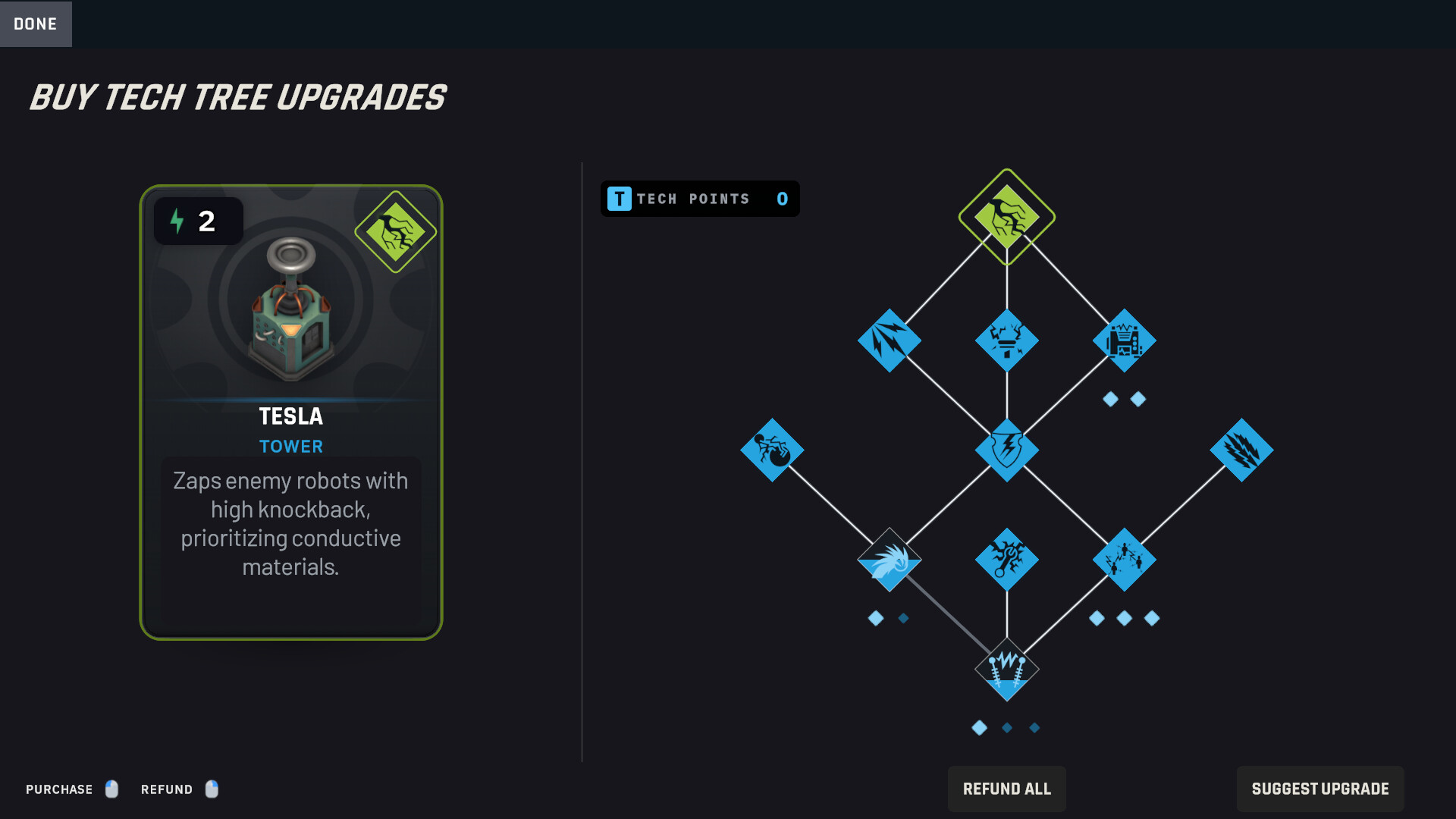
Upgrades let you change a tower’s mass, size, and projectile power. Shrinking robots makes them easier to push, while growing them can increase rewards. Projectiles can also be grown, making their impact stronger. These changes directly affect the physics interactions in each run.
- Shrink a tower’s mass to increase its acceleration when pushing robots.
- Grow projectile size when you need a single, powerful hit rather than multiple small pushes.
04 / THE GUIDE
Sandbox Mode & Steam Workshop
Sandbox mode provides unrestricted access to every tower and tool, letting you build and decorate custom levels. Once finished, levels can be shared through the Steam Workshop. The editor works without timed input, so you can take as long as needed to craft intricate physics puzzles before publishing them.
- Use the sandbox to test tower combos before committing to a campaign run.
- Explore community‑made levels on the Workshop for fresh ideas and challenges.
05 / THE GUIDE
Platform Features & Controls
Tower Lab runs on Windows and macOS, supports Steam Achievements, Cloud saves, and Leaderboards. It includes a Mouse Only Option and can be played without timed input, allowing flexible play styles. The game also offers adjustable difficulty and custom volume controls, catering to a range of player preferences.
- Enable the Mouse Only Option if you prefer precise placement of towers.
- Adjust difficulty settings to match your comfort with physics puzzles.

COMMUNITY
Player discussion