 GameWiki
GET YOUR BEARINGS
About The Use of Life
The Use of Life is a single‑player adventure‑book style RPG where every decision shapes Gosho’s thoughts and the flames that symbolize his life attachments. Endings reflect different life philosophies rather than a simple good‑or‑bad split.
Combat blends turn‑based planning with quick‑time‑event timing, and the game supports full controller input, Steam Cloud saves, and Family Sharing on Windows.
01 / THE GUIDE
Narrative Structure
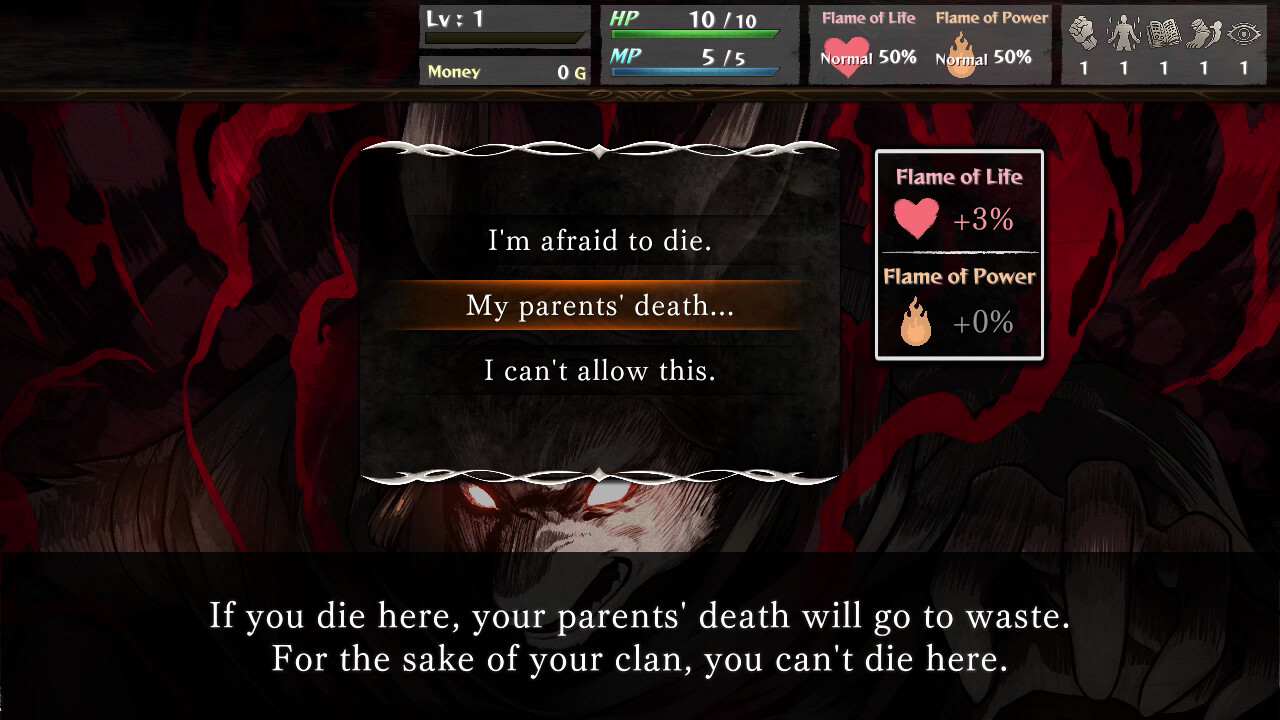
The story is presented as an adventure book; each choice influences Gosho’s thoughts and the flames that represent his attachments.
There are multiple endings, each a conclusion of a particular way of living, with no designated "good" or "bad" outcome.
- Note how each major decision alters the flame indicators.
- Consider replaying to explore a contrasting life philosophy.
02 / THE GUIDE
Battle System
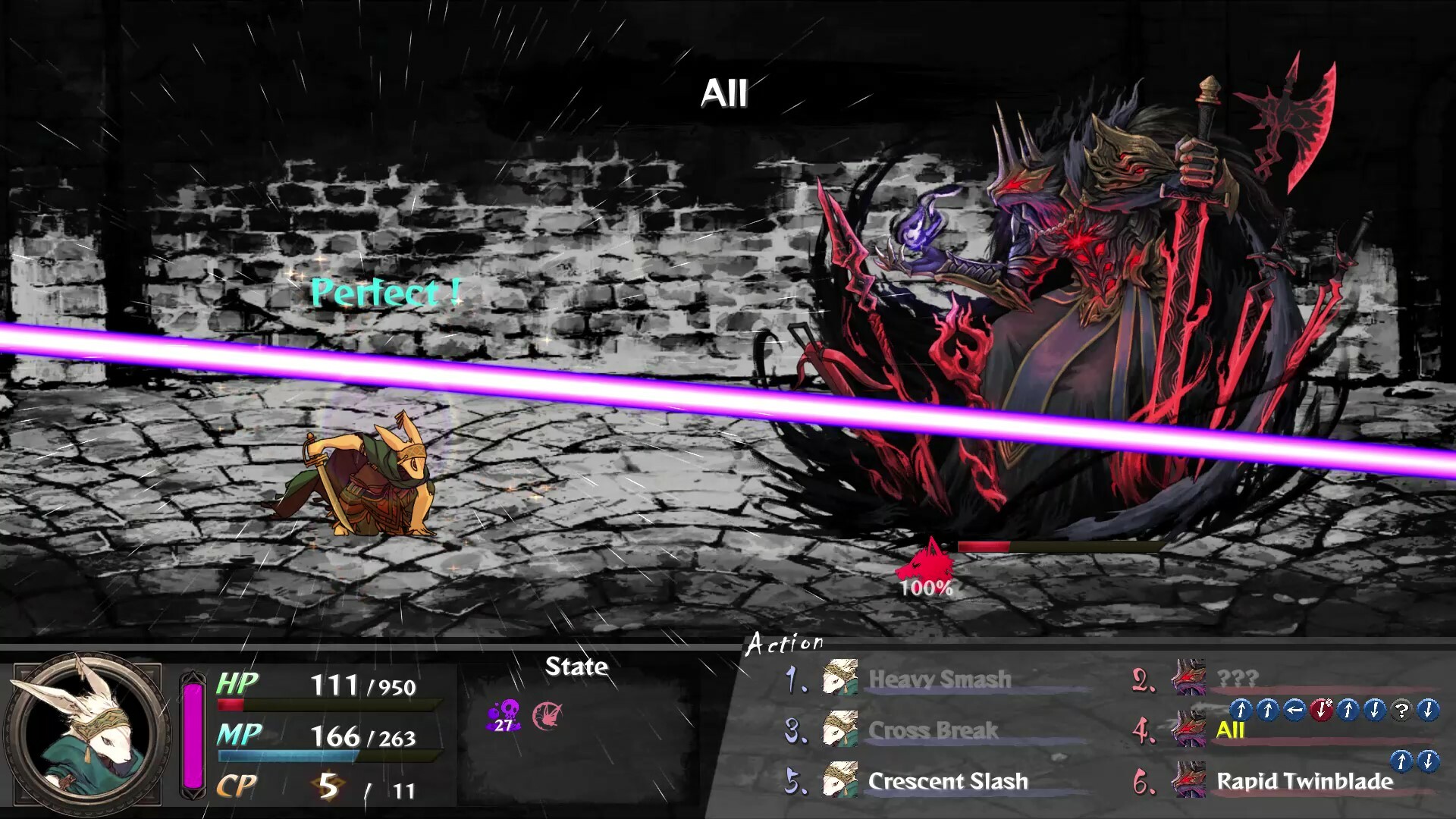
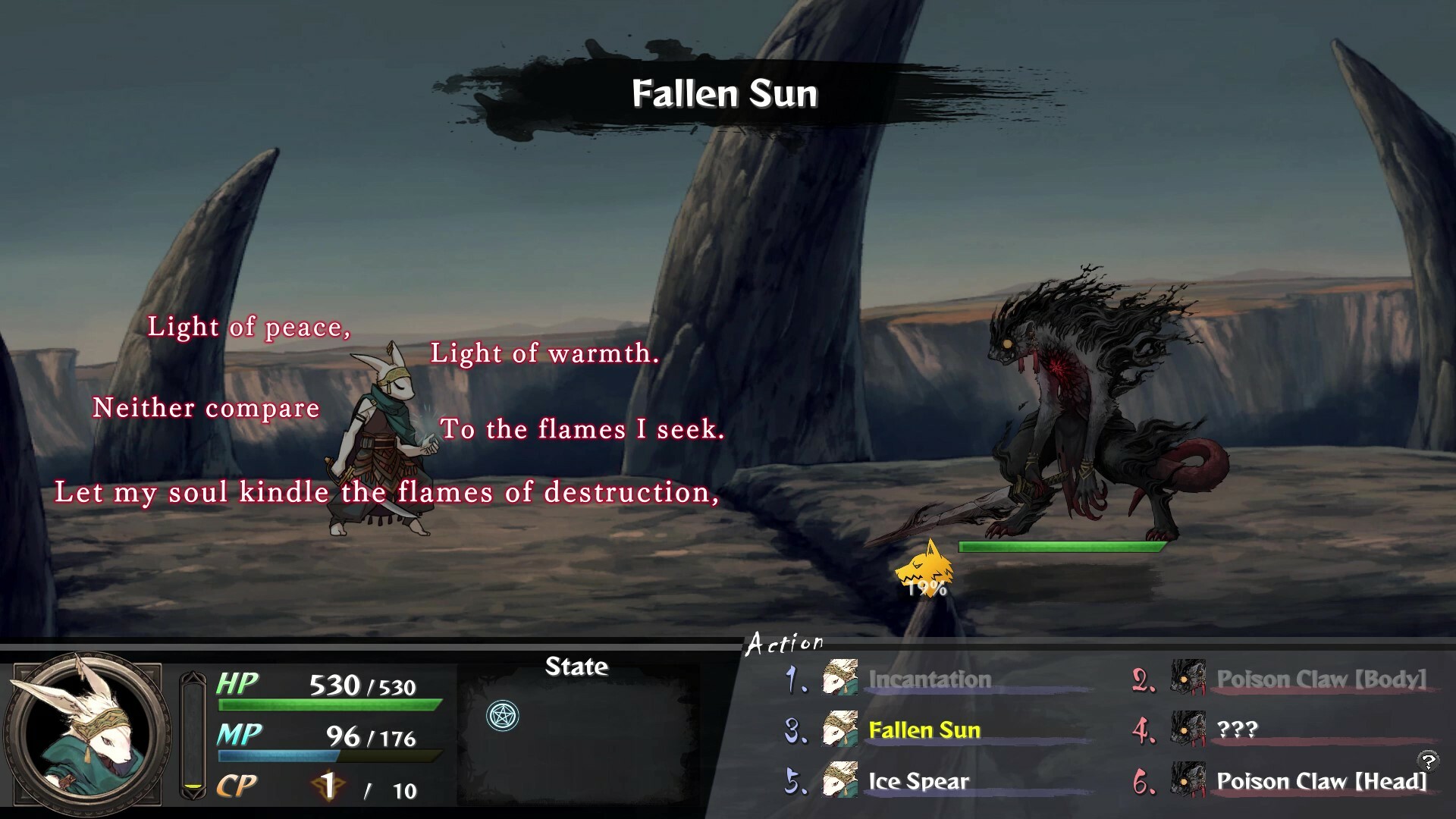
Each turn you and the enemy select three actions, then perform them in sequence, mixing strategy with reflex timing.
Boss encounters increase tension, requiring careful timing to survive the enemy’s flurry of attacks.
- Practice the QTE timing on regular enemies before a boss.
- Watch the enemy’s action pattern to anticipate the next three moves.
03 / THE GUIDE
Adventure Book Events
Events are narrated in an adventure‑book style and sometimes include TRPG‑style dice rolls that affect the outcome.
Your choice of cautious or bold actions changes Gosho’s personality and can alter later story beats.
- When a dice roll appears, weigh the risk against the potential narrative impact.
- Track how repeated cautious choices shift Gosho’s flame colors.
04 / THE GUIDE
Customization & Classes
Gosho gains experience from encounters with death; experience can be spent to strengthen abilities within a chosen class.
Four classes—Fighter, Samurai, Mage, Sorcerer—each provide distinct attack styles and unlock class‑specific skills and spells.
- Focus experience on the class whose combat style you prefer.
- Review unlocked skills after each level‑up to plan future upgrades.
05 / THE GUIDE
Platform Features
The game runs on Windows and offers full controller support, allowing play with a gamepad or keyboard.
Steam Cloud saves preserve progress across devices, and Family Sharing lets multiple accounts use the same purchase.
- Enable Steam Cloud before starting to ensure saves are backed up.
- Test controller sensitivity in the options menu for reliable QTE input.
COMMUNITY
Player discussion