 GameWiki
GET YOUR BEARINGS
About Railway Dispatcher
Railway Dispatcher puts you in charge of a station’s signals, routes and departure bell. By clearing signals and setting routes you keep trains moving on realistic block‑signalling and interlocking systems.
The game includes a map editor for custom lines, a punctuality‑based scoring system, and Steam Workshop support for sharing creations. It runs on Windows and macOS, offers single‑player play, Steam achievements and family sharing.
01 / THE GUIDE
Signal & Route Control
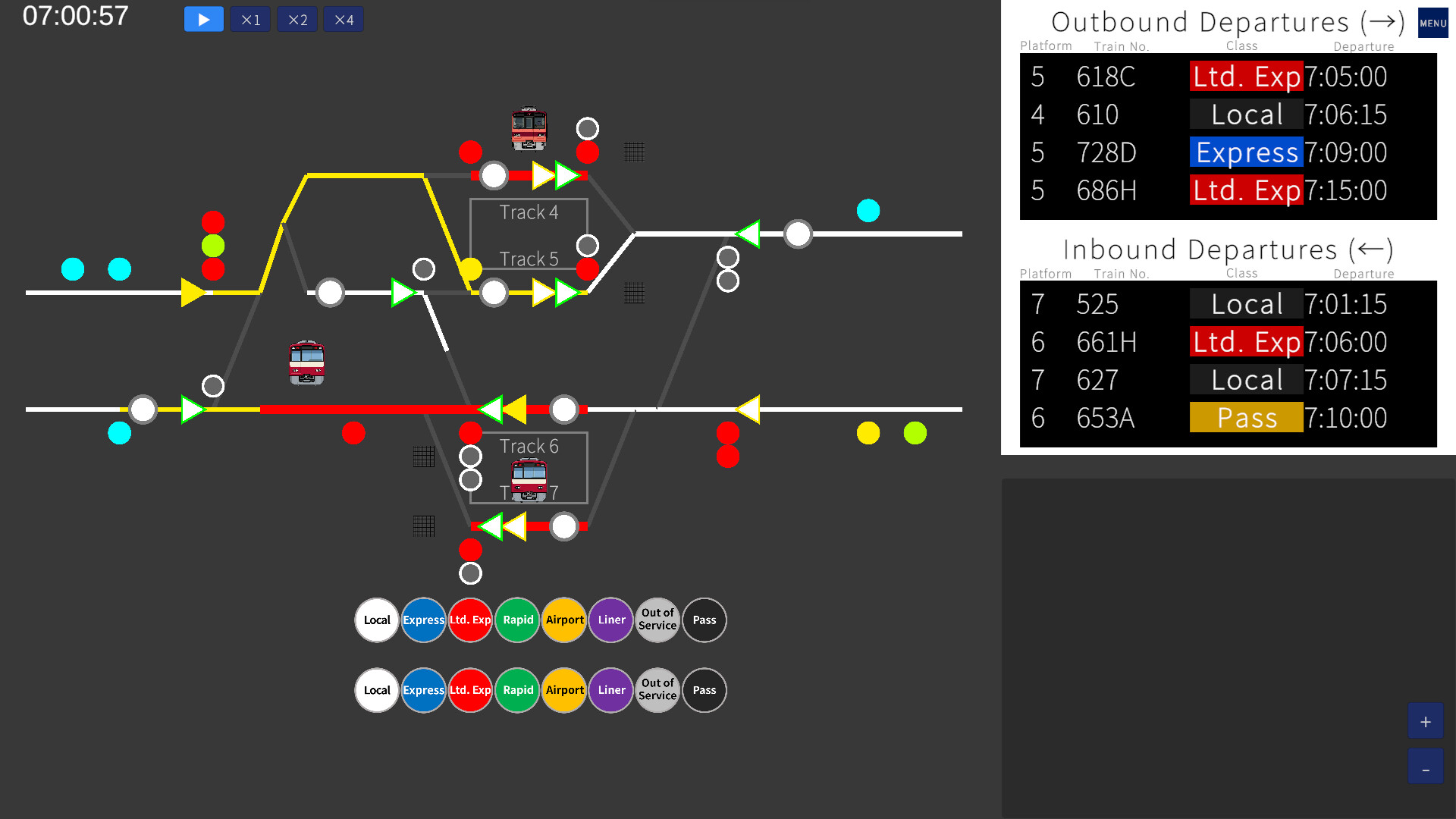
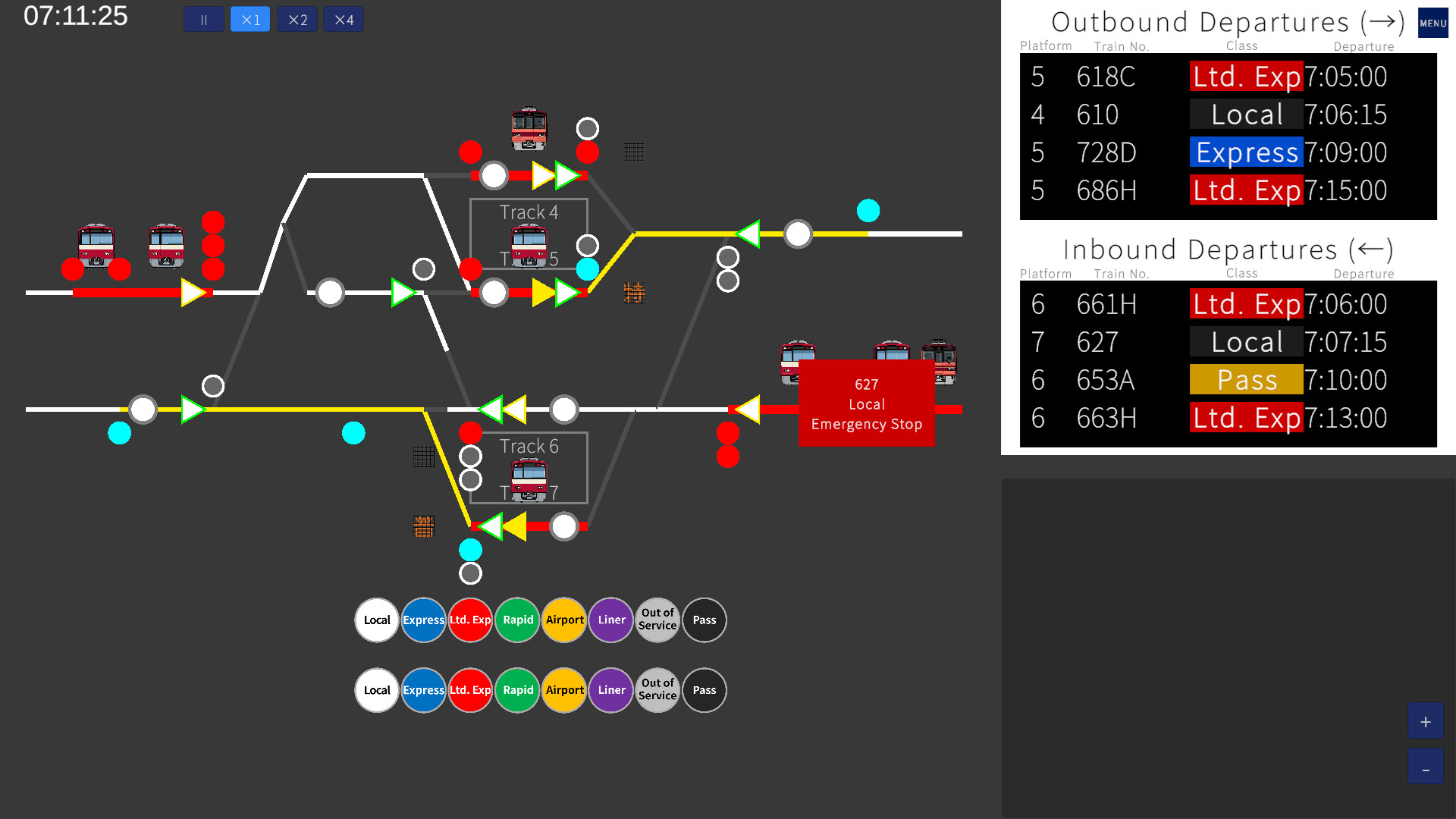
The core mechanic reproduces block‑signalling and interlocking used on real railways. You manually clear each signal to open the optimal route for an incoming train, mirroring authentic dispatch work.
Multiple platforms and train classes intersect, so each cleared signal can affect nearby tracks. Managing these interactions creates depth as routes must align with the timetable.
- Begin with a single‑track layout to see how each signal influences train flow.
- Watch how clearing one signal opens or blocks adjacent routes before committing.
02 / THE GUIDE
Departure Timing
A departure list shows the exact order of trains. Ringing the bell at the precise moment releases the train onto its cleared route.
A single late departure propagates through the schedule, so timing each bell strike is crucial for maintaining overall punctuality.
- Keep the departure list visible and note the time between arrivals.
- Practice a consistent rhythm to reduce accidental early or late rings.

03 / THE GUIDE
Scoring System
After each run the game evaluates your punctuality and precision, assigning a score that reflects how well you avoided delays.
Higher scores reward careful route planning and exact bell timing, encouraging repeated runs to improve your dispatching craft.
- Aim for a 100 % on‑time record to see the maximum possible score.
- Compare your scores across runs to spot where delays hurt your punctuality most.
04 / THE GUIDE
Map Editor
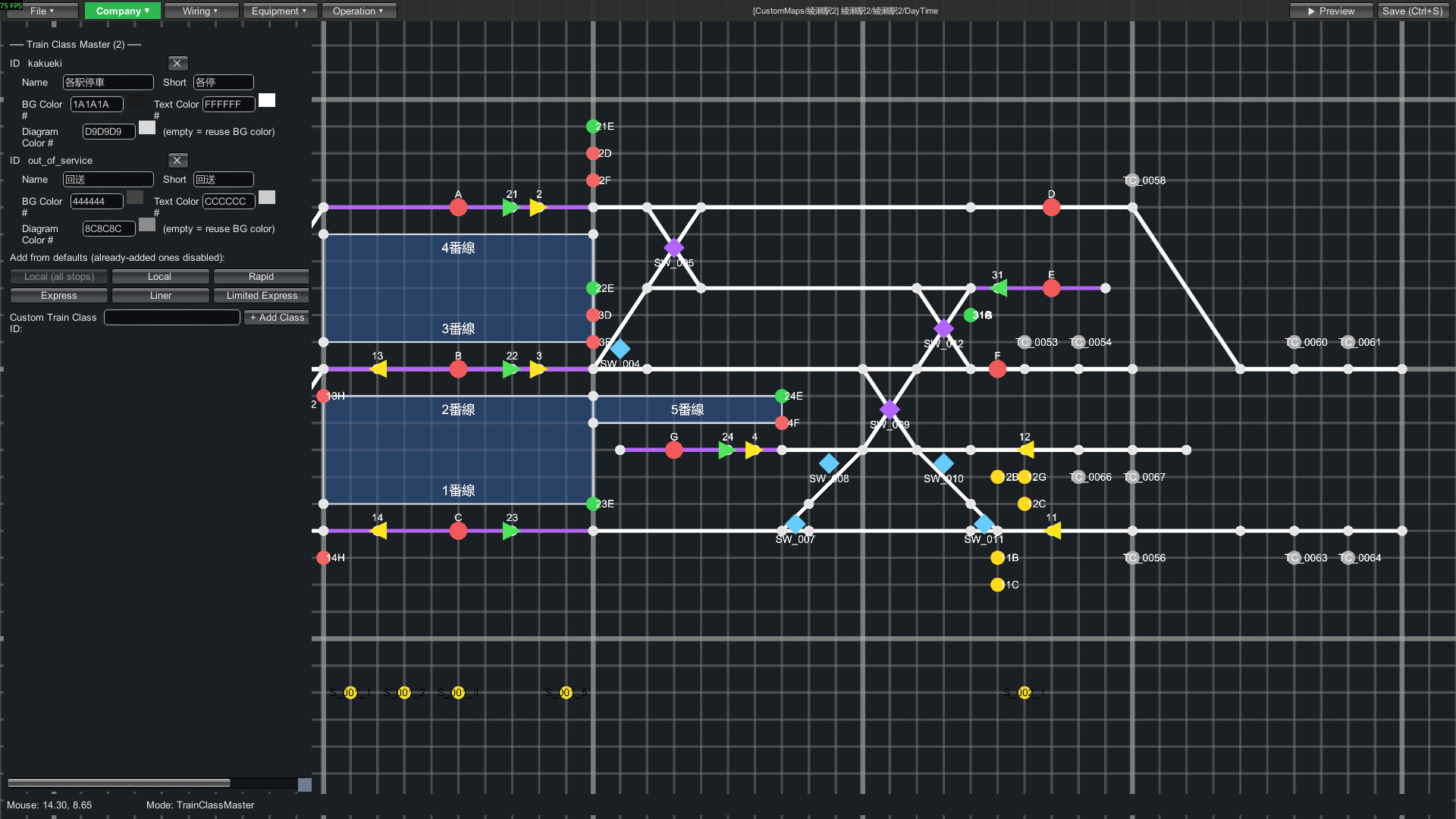
The built‑in editor lets you place signals, design track layouts and set timetables, allowing recreation of existing stations or creation of entirely new ones.
You can choose from 28 preset train icons or import your own, enabling complex scenarios such as overtakes and turnbacks.
- Start by copying a simple station layout before adding extra tracks.
- Use distinct icons for different train classes to keep schedules clear.
05 / THE GUIDE
Steam Workshop
Maps created with the editor can be uploaded to the Steam Workshop, where other players can download and play them, expanding the game’s content beyond the four built‑in stations.
The manual permits streaming, clips and monetisation without prior permission, giving creators freedom to showcase their work.
- Browse the Workshop for maps that match your skill level before attempting them.
- Provide clear descriptions when uploading your own maps to attract players.

COMMUNITY
Player discussion