 GameWiki
GET YOUR BEARINGS
About Piano Glow
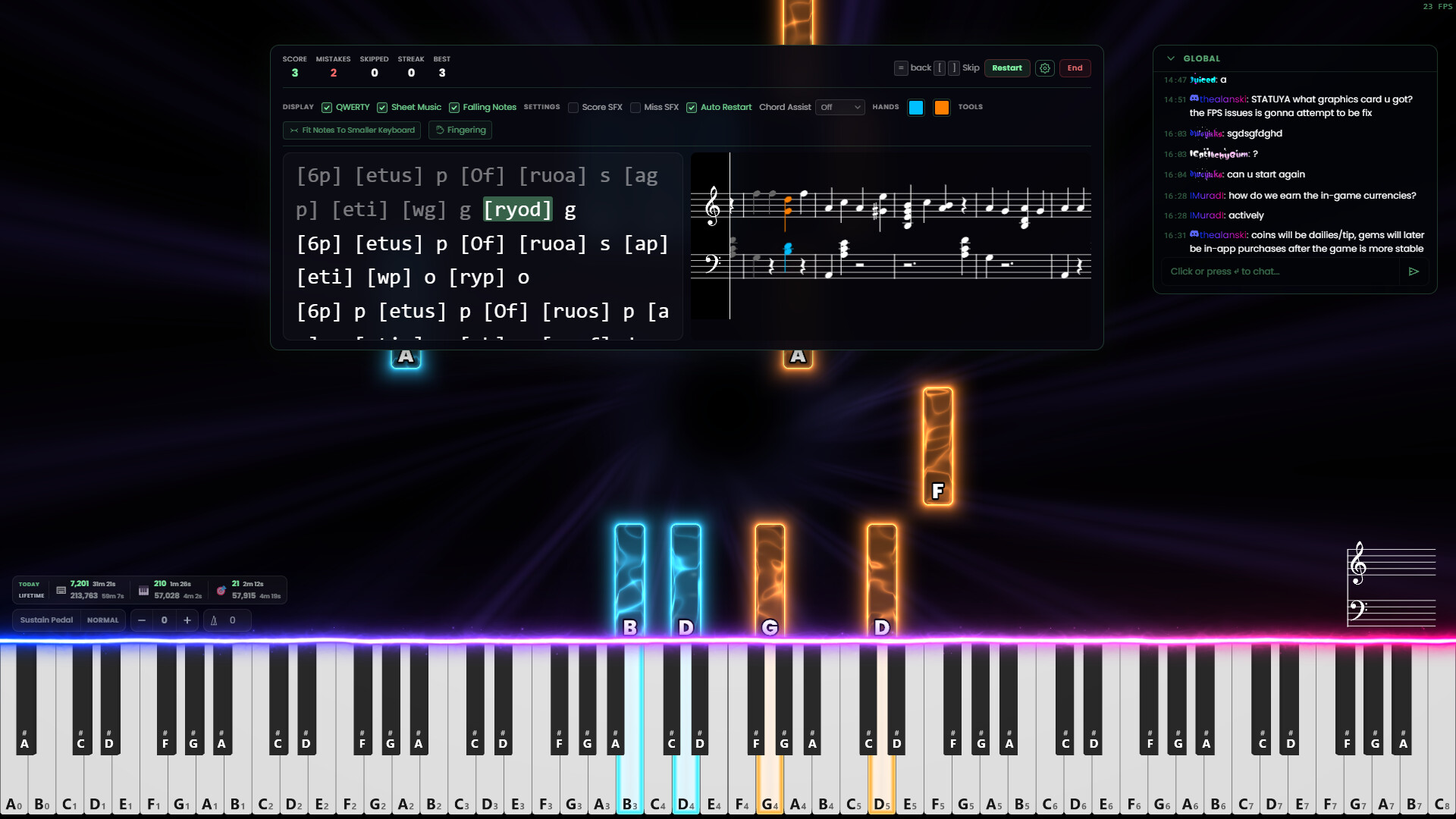
Piano Glow lets players practice piano and compete with others using a QWERTY keyboard, a digital piano, or any MIDI controller. The game runs on Windows, macOS and Linux and offers both offline single‑player tools and online multiplayer rooms where users can take turns, guess songs, or draw while playing.
Beyond performance, the app includes ear‑training, rhythm drills, a MIDI editor, visual themes, and AI‑assisted fingering. All features are unlocked with a one‑time purchase, and future updates are promised to remain free.
01 / THE GUIDE
Multiplayer Modes
Players can join global or private chatrooms and use a queue‑based system that lets each participant play a piece before the next. The game adds competitive twists such as guessing drawings while a piano track plays, or guessing the song that another player is performing.
Voice chat, friend lists and block options let users manage social interaction, while leaderboards record performance across the community. All multiplayer modes accept any supported input device, from a QWERTY keyboard to a Bluetooth piano.
- Start with the queue mode to become comfortable with turn‑taking before trying guess‑song challenges.
- Use a private chatroom to practice with friends without the pressure of global leaderboards.
02 / THE GUIDE
Input Options
Piano Glow works with a standard QWERTY keyboard, a real digital piano, or any MIDI controller connected via Bluetooth or USB‑B. The app can auto‑convert any MIDI or MusicXML file to match the size of the connected keyboard, even if it has as few as 25 keys.
Velocity integration with analog QWERTY keyboards provides dynamic (loud‑soft) control, and the program can auto‑transpose QWERTY sheets with a single key press. Users may also load custom SoundFonts, VST3 plugins, or ASIO drivers for varied timbres.
- Connect a small 25‑key controller first to see how the auto‑conversion adapts larger MIDI files.
- Experiment with the velocity curve on an analog QWERTY keyboard for expressive dynamics.

03 / THE GUIDE
Training Tools
The game offers ear‑training, rhythm, falling‑notes, chord, scales, arpeggios and sheet‑music modes. Each mode includes a customizable auto‑pause that waits until the player hits the correct note or chord before continuing, and this setting is on by default.
Statistics highlight frequently missed notes, helping users focus on weak areas. Achievements track milestones, and a detailed calendar records daily practice time for each month.
- Leave auto‑pause enabled when learning new material to ensure you only progress after correct input.
- Review the practice calendar weekly to spot patterns in your practice frequency.
04 / THE GUIDE
Visual & Audio Customisation
Stunning particle effects move in sync with tempo, and users can upload video files as background images. The 3D camera can be rotated or slanted, and a 3D sheet‑music view adds glowing orbs and lighting effects.
Audio can be shaped with customizable reverb, equaliser, and multiple SoundFonts loaded simultaneously. An interactive Circle‑of‑Fifths cheat sheet shows common chord triads, key signatures and seventh chords, while the app identifies chord names and intervals in real time.
- Adjust the 3D camera angle to reduce visual clutter during fast passages.
- Load a distinct SoundFont for the left hand to separate bass lines from melodies.
05 / THE GUIDE
MIDI Editing & Creation
Users can import MIDI or MusicXML files, edit performances, and set custom loop ranges that the app remembers for later sessions. The built‑in MIDI editor lets creators craft new songs, layer different SoundFonts, and export recordings as video directly from the app.
Additional utilities include QWERTY sheet conversion, an OCR‑based notepad for editing sheets, and AI‑driven fingering suggestions that recommend finger placements for any imported file.
- Create a short loop of a difficult passage to practice it repeatedly without re‑loading the whole track.
- Use the AI fingering helper on unfamiliar pieces to explore comfortable finger placements.



COMMUNITY
Player discussion