 GameWiki
GET YOUR BEARINGS
About Passpartout 2: The Lost Artist
Passpartout 2: The Lost Artist lets you pick up a foldable easel and literally draw your own artwork while wandering the charming puppet town of Phénix. As a once‑renowned painter forced onto the streets, you’ll meet residents, take on commissions, and rebuild your reputation.
The game blends point‑and‑click exploration with a simple drawing interface. You can sell pieces on the street, set up a home studio, and eventually tackle the Museum of the Masters, all while unlocking new tools from the local art‑supplies shop.
01 / THE GUIDE
Exploring Phénix
The town of Phénix is presented as an endearing puppet community where each resident has a distinct personality. Walking around reveals locations like Steve's restaurant and the art‑supplies store, giving context for commissions and purchases.
Interaction is point‑and‑click, allowing you to talk to townsfolk, discover items they might give you, and learn what motivates them. This exploration forms the backbone of the game's casual pacing.
- Take time to talk to each resident; they may later offer useful items.
- Observe the layout early to plan efficient routes between commissions.
02 / THE GUIDE
Commission Work
Residents request specific artworks, such as a new ad for Steve's restaurant. Completing these tasks provides cash and can deepen relationships, which may unlock further opportunities.
Commissions are accessed through dialogue and require you to draw the requested piece using the in‑game tools. Success is measured by the sale or acceptance of the finished work.
- Match the requested style closely to increase the chance of acceptance.
- Use commissions to earn early cash before buying a studio.

03 / THE GUIDE
Studio Ownership
Purchasing a studio lets you work from home, mirroring the artist’s “good old days.” A studio provides a private space for creating and selling art without needing to set up on the street each time.
Ownership requires cash earned from sales or commissions, and once bought, the studio becomes a permanent base for your creative output.
- Save a portion of each sale for the studio purchase price.
- Use the studio to experiment with new tools before public sales.
04 / THE GUIDE
Art Supplies Store
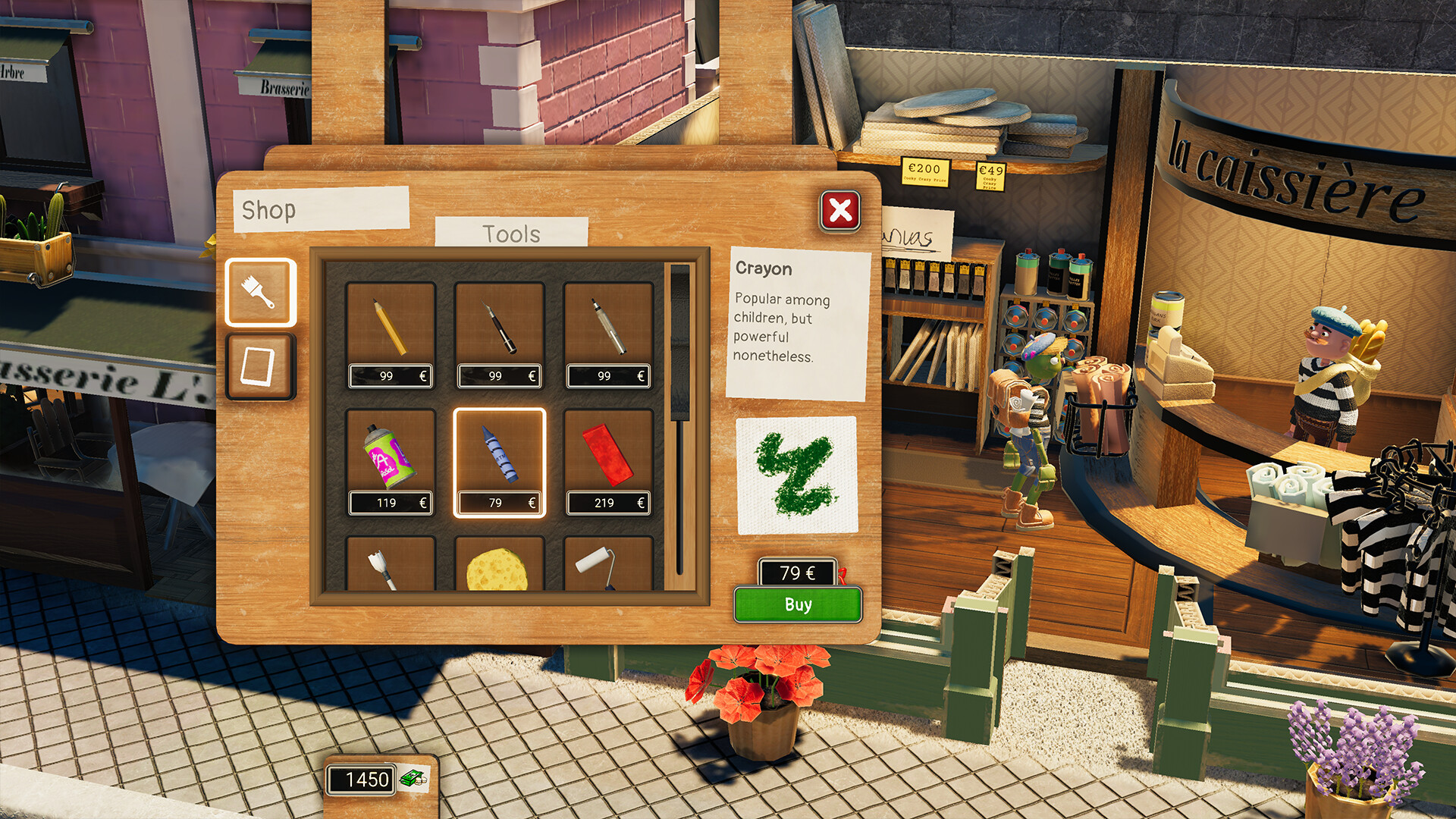
The town’s art‑supplies shop stocks a variety of tools, from fresh crayons to heart‑shaped canvases. Buying new equipment expands the range of visual effects you can apply to your drawings.
Each purchase costs cash earned through sales, encouraging a loop of creating, selling, and upgrading your artistic arsenal.
- Check the store regularly to see what new stock has arrived.
- Prioritize tools that complement the style of commissions you receive.
05 / THE GUIDE
Museum of the Masters Challenge
The Museum of the Masters represents a major goal in Phénix, testing your ability to produce high‑quality art for an art‑starved audience. Completing this challenge signals a revival of your career.
The challenge requires you to draw pieces that meet the museum’s standards.
- Build a diverse portfolio before attempting the museum.
- Reflect on how your earlier sales went to refine your technique.



COMMUNITY
Player discussion