 GameWiki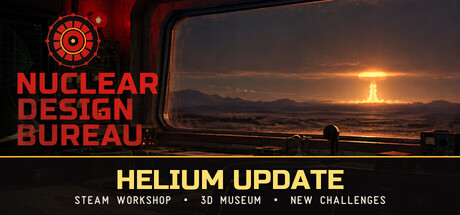
GET YOUR BEARINGS
About Nuclear Design Bureau
Nuclear Design Bureau is a hardcore sandbox engineering simulation in early access. Players act as junior engineers at the Kurchatov Institute, receiving directives that set technical goals and material limits. The core loop—design, simulate, detonate, refine—relies on real‑time physics, including shockwaves, heat, radiation, and chain‑reaction behavior. The game offers a structured campaign with progressive directives and an unrestricted sandbox for unlimited experimentation. It runs on Windows via WebGPU and Electron, supports mouse‑only input, and includes save/load, Steam Cloud, and achievement systems, though Linux, macOS, and controller support are not officially documented.
01 / THE GUIDE
Campaign Directives
Directives provide technical requirements and constraints, such as material limits, that guide each mission. They form a structured progression where players must build devices that meet the stated goals. The campaign is designed to evolve based on player feedback; new challenges, voiced content, and additional bomb concepts are planned for future updates.
- Compare multiple directives to identify recurring material constraints.
- Document each directive’s success metrics for later reference.
02 / THE GUIDE
Sandbox Mode
Sandbox mode offers unlimited experimentation with full design freedom. Players can experiment freely with any device configuration. This mode is useful for testing novel concepts before attempting campaign directives, and it supports the same physics‑driven simulation as the main game.
- Use sandbox experiments to benchmark material efficiency.
- Save promising designs for later adaptation to directives.

03 / THE GUIDE
Criticality Lab
The criticality lab is a first‑person environment where players handle core components directly. Players place the core in its cradle, lower a beryllium reflector, and watch a wall‑mounted counter display the live k‑effective estimate. Radiation exposure is shown on the operator model rather than in a readout.
- Observe the counter’s lag to gauge how close you are to criticality.
- Adjust reflector positioning incrementally to avoid hand exposure.
04 / THE GUIDE
Detonation Viewer
After triggering a simulation, the detonation viewer displays the blast in real time, showing shockwave propagation, heat, and radiation effects. Visual feedback helps diagnose why a device succeeded or failed. Future updates aim to improve shockwave detail, damage radius, and destructible environments, but the current viewer already provides essential insight for refinement.
- Replay detonations to spot subtle timing issues.
- Note visual differences between successful and fizzled blasts.
05 / THE GUIDE
Iterative Engineering Loop
The game’s loop consists of designing a device on a blueprint grid, running a real‑time physics simulation, detonating the design, and refining based on results. Each stage feeds directly into the next, encouraging systematic problem solving. Save/load functionality allows players to return to any point in the loop, supporting thorough testing and optimization without losing progress.
- Keep separate saves for each major design iteration.
- Log simulation outcomes to track improvement over time.


COMMUNITY
Player discussion