 GameWiki
GET YOUR BEARINGS
About NoSlack Pets: Lo-Fi Paws
NoSlack Pets: Lo‑Fi Paws offers a quiet desktop cat named Miino that sits at the edge of your screen while you work, study, or relax. The game blends simple productivity tools—Pomodoro timers, Lo‑Fi music, white‑noise, and to‑do lists—with a cozy collecting and decorating system.
As you focus or idle, you earn Gift Boxes, Paw Coins, and XP that let you dress Miino in over 400 headgear pieces and fill a customizable room with more than 1,500 décor items. A light‑hearted online study room lets you share focus sessions with others, while mini‑games such as fishing or Sudoku provide gentle breaks.
01 / THE GUIDE
Desktop Pet Mode
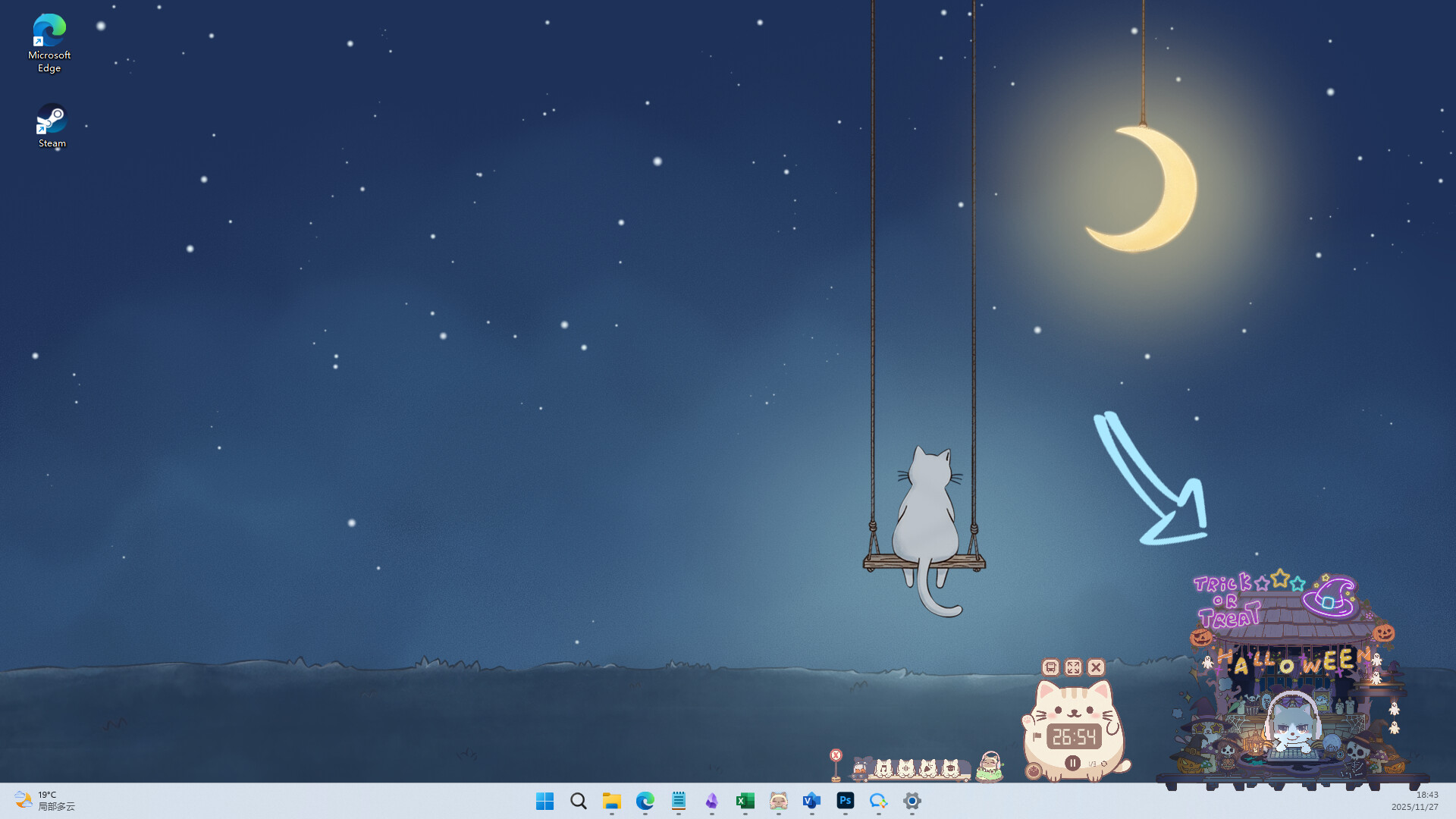
Miino can be placed at the edge of your desktop, where it stays while you type, work, or study. You may drag it, let it hover near a window, or watch it follow your cursor’s gaze, creating a non‑intrusive companion.
The mode is designed to blend into the desktop environment, offering visual company without interrupting your workflow. It works with mouse‑only input, matching the game’s “Mouse Only Option” feature.
- Try positioning Miino near frequently used windows for a comforting visual cue.
- Observe how Miino’s gaze follows the cursor; it can help remind you to stay on task.
02 / THE GUIDE
Built‑in Focus Tools
The game includes a Pomodoro timer, Lo‑Fi music, white‑noise options, and a to‑do list to help you start focused sessions. You can set a Pomodoro, choose background sounds, and write today’s goals.
Focus statistics are tracked, and completing 30‑minute focus or idle periods grants a Gift Box. These tools aim to make long work sessions feel lighter and calmer.
- Pair a Pomodoro interval with a Lo‑Fi playlist for a steady rhythm.
- Use the to‑do list to break large tasks into smaller, timed goals.
03 / THE GUIDE
Gift Boxes and Headgear
Focusing or idling for 30 minutes awards a Gift Box, which can be opened for random Headgear. Headgear dresses Miino, can be used in Synthesis, recorded in your Collection, and some appear on the Steam Community Market.
Headgear drops follow rarity tiers (Common 89.90%, Uncommon 9.51%, Rare 0.49%, Epic 0.10%). Higher‑rarity pieces are obtainable through Synthesis, while Meow Code drops do not count toward collection progress.
- Collect multiple Gift Boxes before opening to compare rarity chances.
- Check the Steam Community Market for listed Headgear if you want specific pieces.
04 / THE GUIDE
Paw Coins and Decoration
Paw Coins accumulate slowly in the Piggy bank alongside XP, and can be claimed at any time. They purchase houses, cat desks, and a wide range of décor items, letting you build a personalized desktop space.
With 1,500+ decoration items, you can mix cat outfits, homes, desks, and themed DIY elements to create study corners, festive rooms, or whimsical worlds that reflect your style.
- Prioritize buying functional décor like cat desks to keep the workspace tidy.
- Experiment with themed mixes to discover combinations that boost your focus mood.
05 / THE GUIDE
Online Study Room
The Online Study Room offers a quiet shared space where players can focus, work, or idle together. While in the room, you can help each other open Gift Boxes and collectively meet daily small goals.
The mode supports co‑op play and online multiplayer, allowing a gentle sense of company without competitive pressure. It complements the solo desktop experience with optional social interaction.
- Join the Study Room during peak focus times to benefit from collective Gift Box openings.
- Use the room’s quiet atmosphere to maintain a low‑stress environment while still feeling connected.


COMMUNITY
Player discussion