 GameWiki

GET YOUR BEARINGS
About Mini Cozy Room: Lo-Fi
Mini Cozy Room : Lo‑Fi is a productivity‑focused casual indie title that mixes lo‑fi music with a customizable virtual workspace. Players design rooms, place furniture and decorations, and use built‑in tools such as memos, to‑do lists, and a Pomodoro timer to stay on task. The game also supports multiplayer, letting friends visit each other's rooms, chat, and share a quiet or social atmosphere. It runs on Windows and offers Steam features like achievements, cloud saves, and family sharing.
01 / THE GUIDE
Workspace Decoration
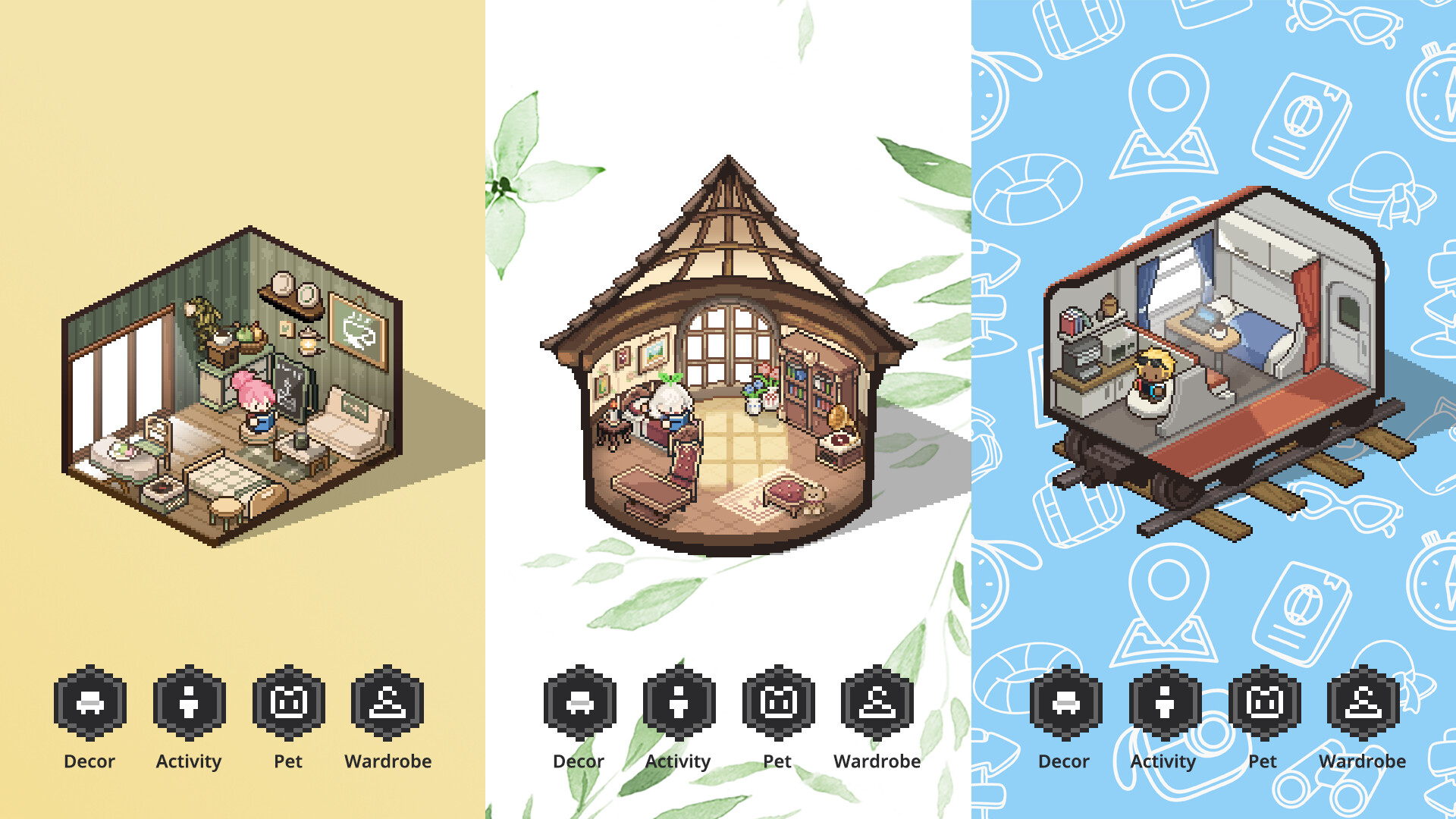
Players can create a personal workspace by selecting from a wide variety of rooms, furniture, and decorations. The resulting environment is intended to improve concentration and productivity.
Customization includes wallpapers, furniture placement, and the ability to add external music files for a personalized playlist.
- Start with a simple layout to avoid visual clutter.
- Use the level‑up gift deliveries to expand decoration options.
02 / THE GUIDE
Lo‑Fi Music & Ambience
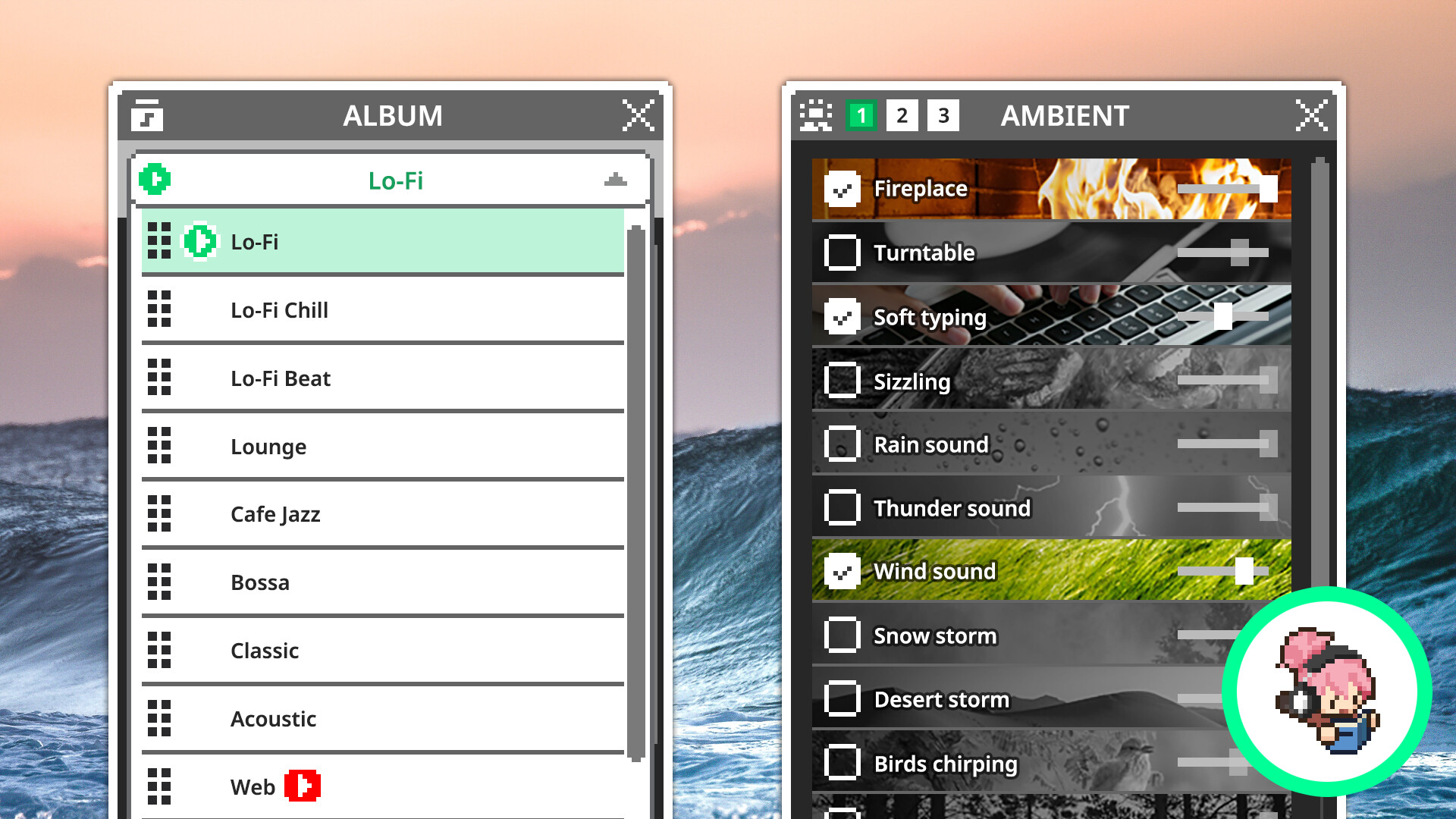
The game offers diverse lo‑fi music genres and ambient sounds that play in the background while you work. Players can mix different ambient tracks to craft a preferred atmosphere.
You can also add your own MP3 or WAV files and bookmark YouTube channels for quick access.
- Experiment with mixing ambient sounds to find the most relaxing combination.
- Enable the count‑down Pomodoro mode for timed focus sessions.
03 / THE GUIDE
Multiplayer & Focus Mode
Friends can be invited to your room or you can visit other players’ shared spaces. Text chat, emojis, and mini notes enable casual conversation while working.
For users who prefer solitude, a Focus Mode provides a quieter environment without external interaction.
- Use the chat emojis to signal when you need a break.
- Toggle Focus Mode when you need uninterrupted concentration.
04 / THE GUIDE
Desktop UI & Mini Mode
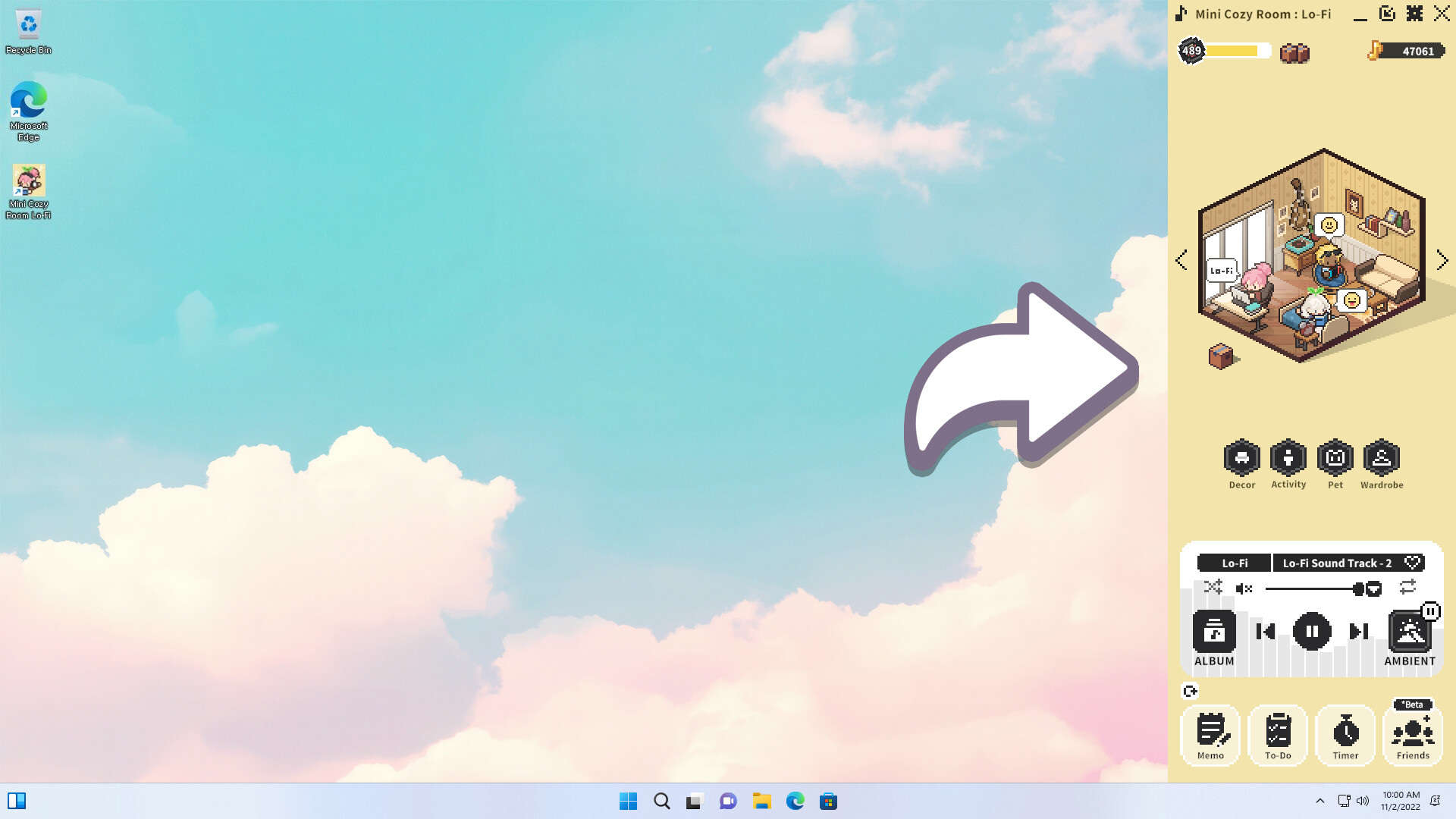
Notes and to‑do lists can be freely repositioned and resized directly on the desktop, allowing a seamless integration with other work tools.
Mini Mode lets the game shrink to the taskbar, reducing screen space usage for users who find the full window overwhelming.
- Resize the Pomodoro timer to keep it visible without covering important windows.
- Switch to Mini Mode when you need more screen real estate for other applications.
05 / THE GUIDE
Cute Avatars and Pets
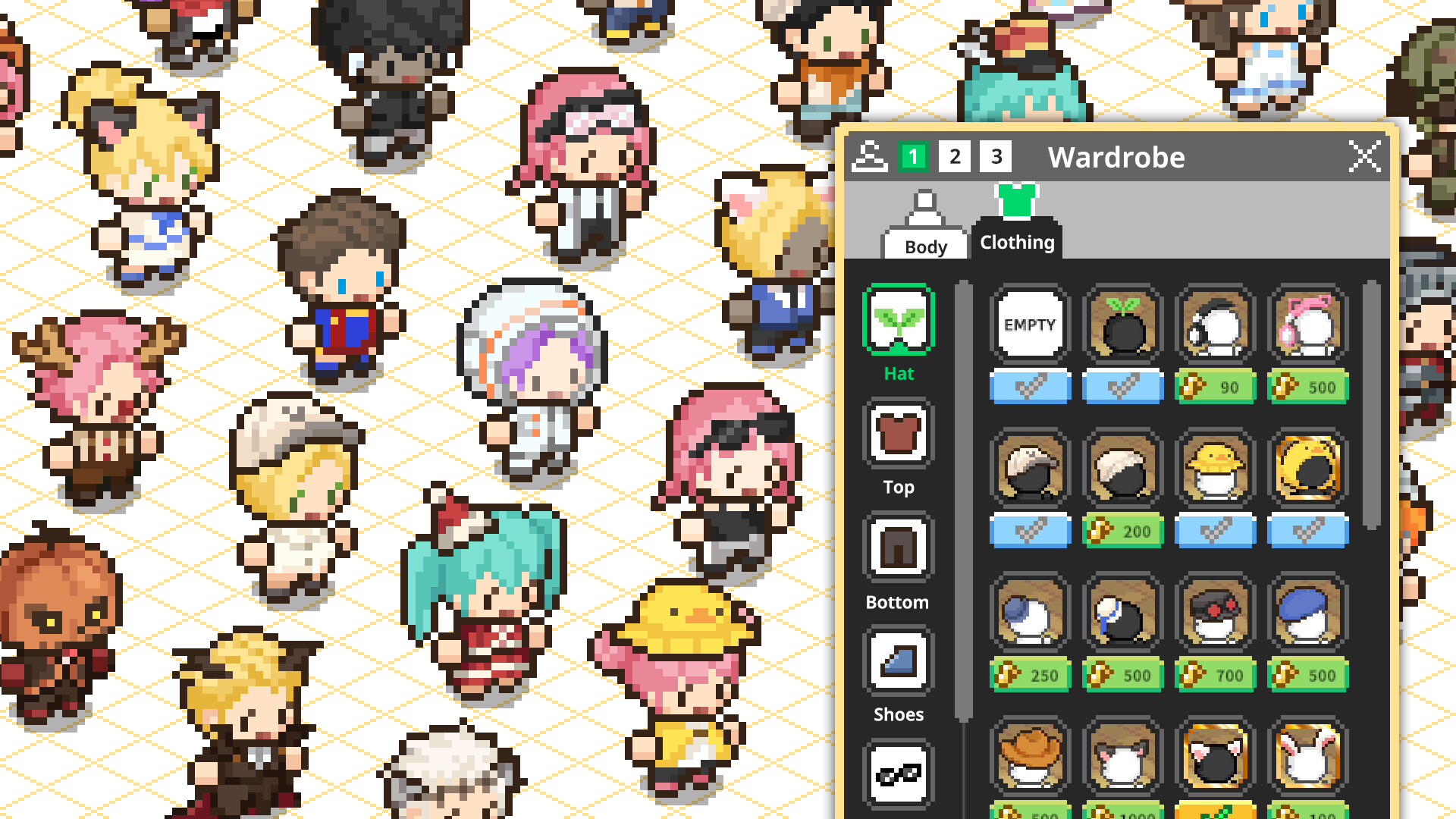
Players can customize avatars with various hairstyles, outfits, and accessories, then place them on chairs, beds, or beanbags. Pets such as cats, dogs, and hedgehogs add companionship.
Avatars and pets can be assigned tasks, adding a playful visual cue to the workspace.
- Dress your avatar in calming colors to reinforce a relaxed mood.
- Assign a pet to a specific chair to remind you of break times.

COMMUNITY
Player discussion