 GameWiki
GET YOUR BEARINGS
About METAL SLUG 3
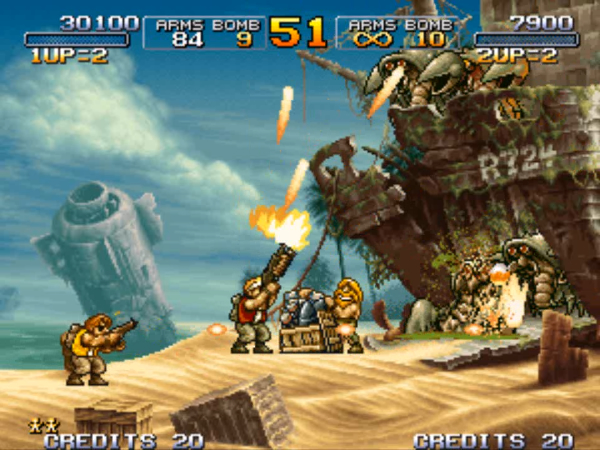
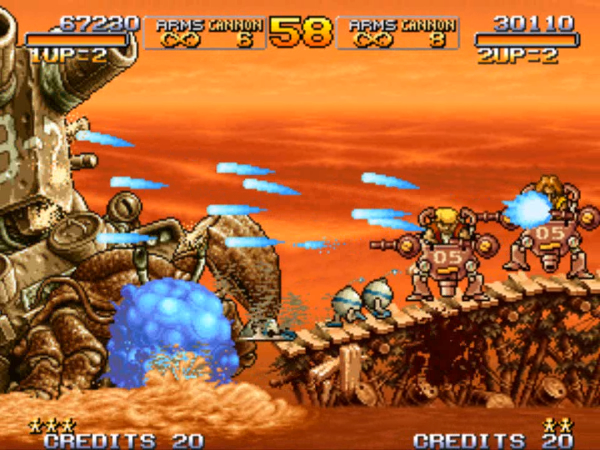
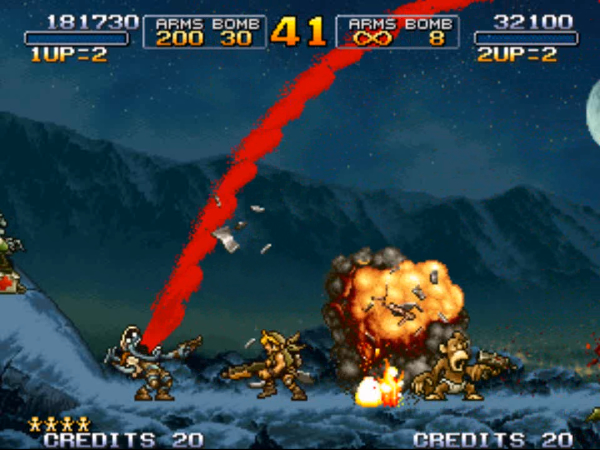
Metal Slug 3 brings SNK’s classic 2‑D run‑and‑gun action to Steam, preserving the series’ dot‑pixel graphics and tight controls that fans regard as the most balanced entry. The release includes the original arcade campaign and a stage‑select mode, playable solo or with a partner.
Steam adds modern features such as full controller support, Steam Cloud, shared‑screen co‑op, online co‑op via Steam, leaderboards, and a gallery of original illustrations. Players can compete globally while enjoying five large stages with branching paths.
01 / THE GUIDE
Arcade Mode
Arcade Mode begins at the start of Metal Slug 3 and guides you through five expansive stages. Each stage contains multiple branching paths that open exciting new areas, matching the classic arcade experience.
The mode presents continuous enemy waves and sizable boss characters that must be defeated to progress. It is structured as a campaign that tests timing, positioning, and reaction to fast‑paced action.
- Explore different branches early to see how level layout changes.
- Observe enemy patterns before committing to a path.
02 / THE GUIDE
Mission Mode
Mission Mode provides stage‑select access to any levels you have unlocked, allowing you to replay favorite sections at will. You may play alone or with a partner, with a brother-in-arms on the missions you have unlocked.
This mode is useful for practicing specific challenges, mastering boss encounters, or simply enjoying a particular stage without advancing through the full campaign. All unlocked stages remain selectable throughout play.
- Choose stages with tougher bosses to refine techniques.
- Co‑op can share firepower on difficult sections.
03 / THE GUIDE
Online Multiplayer
Online Multiplayer connects via Steam, enabling co‑op play with friends anywhere. You can join a session and clear missions together, coordinating attacks against the game’s large enemies.
The feature works with the full controller support listed for the title and integrates with Steam’s Remote Play Together, allowing the experience to be shared on various devices while maintaining the same co‑op mechanics.
- Communicate roles before a boss fight to divide responsibilities.
- Check connection stability before starting a long mission.
04 / THE GUIDE
Settings & Gallery
The Settings menu lets you configure display, control, and language options, letting you tailor visual clarity and input responsiveness to your preferences.
The Gallery section displays original illustrations that become unlocked through gameplay, offering a visual record of the illustrations you have unlocked.
- Review the gallery after each session to note newly unlocked art.
- Adjust language settings if you prefer a different locale.
05 / THE GUIDE
Leaderboards
Leaderboards track your rank and score, allowing you to compare performance with other players worldwide at any time.
Scores update as you complete stages, encouraging repeated attempts to improve standing. The system provides a clear metric for measuring progress across arcade runs or individual missions.
- Aim for quick stage completion to boost your score.
- Observe top rankings to identify scoring patterns.


COMMUNITY
Player discussion