 GameWiki
GET YOUR BEARINGS
About Meco Rocket Simulator
Meco Rocket Simulator lets you design, build, and test rocket engines with real‑time physics. Using a node‑based editor you place pumps, injectors, valves and nozzles, set numeric parameters, and watch live graphs and 3D hardware react instantly. The simulation solves combustion, fluid dynamics and heat transfer on the fly, so every tweak shows its effect on pressure, temperature and specific impulse.
The game offers a guided Mission Mode for step‑by‑step learning and an open Engineering Mode for unrestricted experimentation. You can recreate historic engines like the Merlin 1D or the F‑1, or invent entirely new designs, while the built‑in diagnostics point out why a build fails. Optional Pro Content adds soundtracks, reference PDFs and printable component models.
01 / THE GUIDE
Mission Mode
Mission Mode presents fourteen guided missions that start with a basic model and progress to full‑cycle engines such as the Merlin 1D. Senior engineer Miku Aoyama provides deadpan instructions, and a “Need a hint?” button explains what’s wrong when a build misses its targets.
Each completed mission awards bronze, silver or gold medals, and the next tier asks for higher performance. Mission 0 begins with an accidental Vulcain 1 fire, and later missions teach injector heads, turbopump integration and gas‑generator cycles.
- Compare the medal requirements across missions to gauge how much performance improvement is needed.
- Use the hint button early to identify the specific parameter that’s limiting your design.
02 / THE GUIDE
Engineering Mode
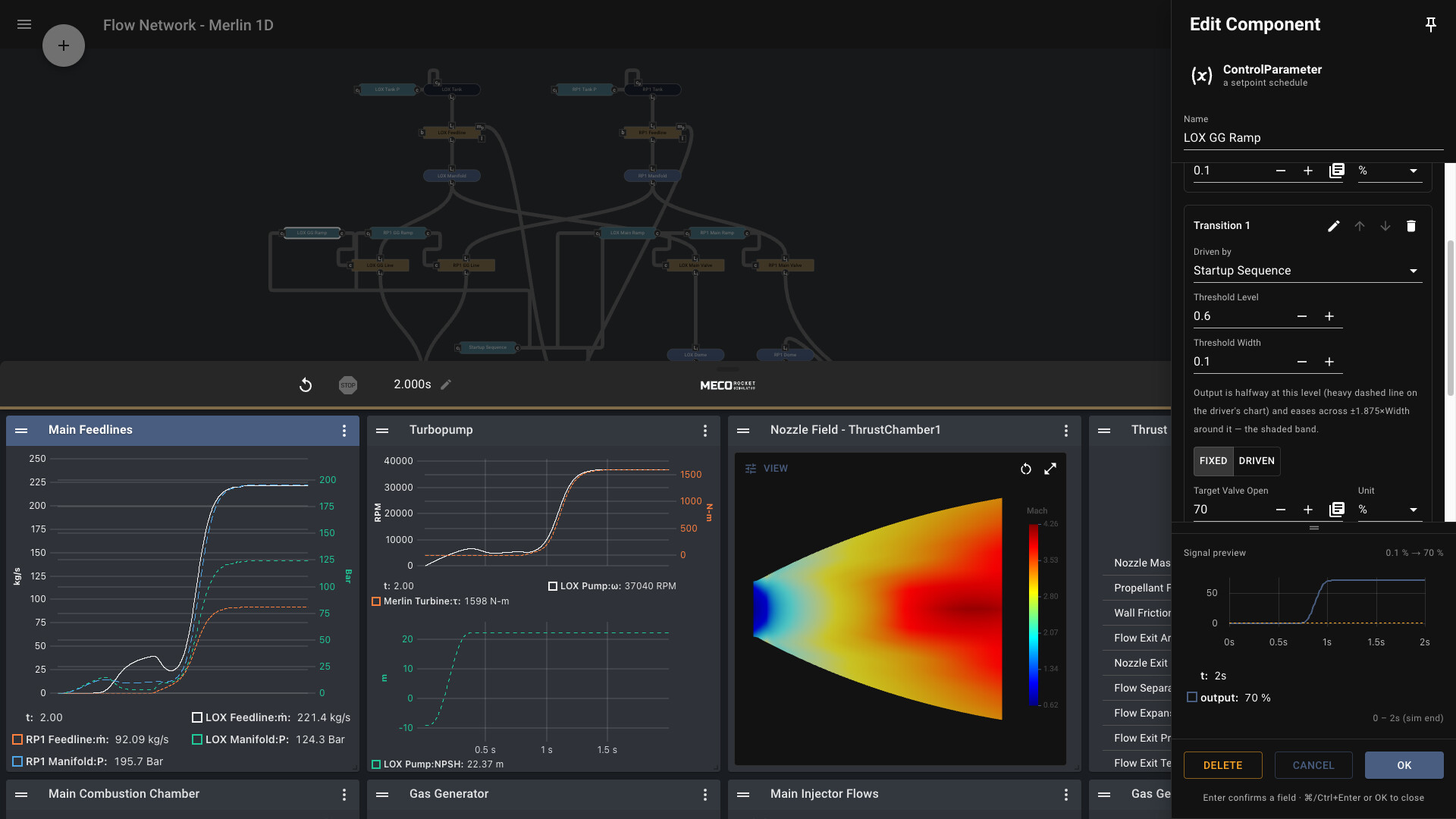
Engineering Mode drops the missions and gives you an empty canvas with the node‑based editor, live graphs and real‑time samplers. You can drop in any component, set every number, and press Run Test to see the engine’s response.
This mode is ideal for “what‑if” experiments, such as testing alternative propellant combinations or geometry changes, because the same physics engine runs as in the guided missions.
- Start with a simple thrust chamber template and add complexity gradually.
- Rebuild different configurations to compare how each change affects thrust and Isp.
03 / THE GUIDE
Real‑time Graphs and 3D Visuals
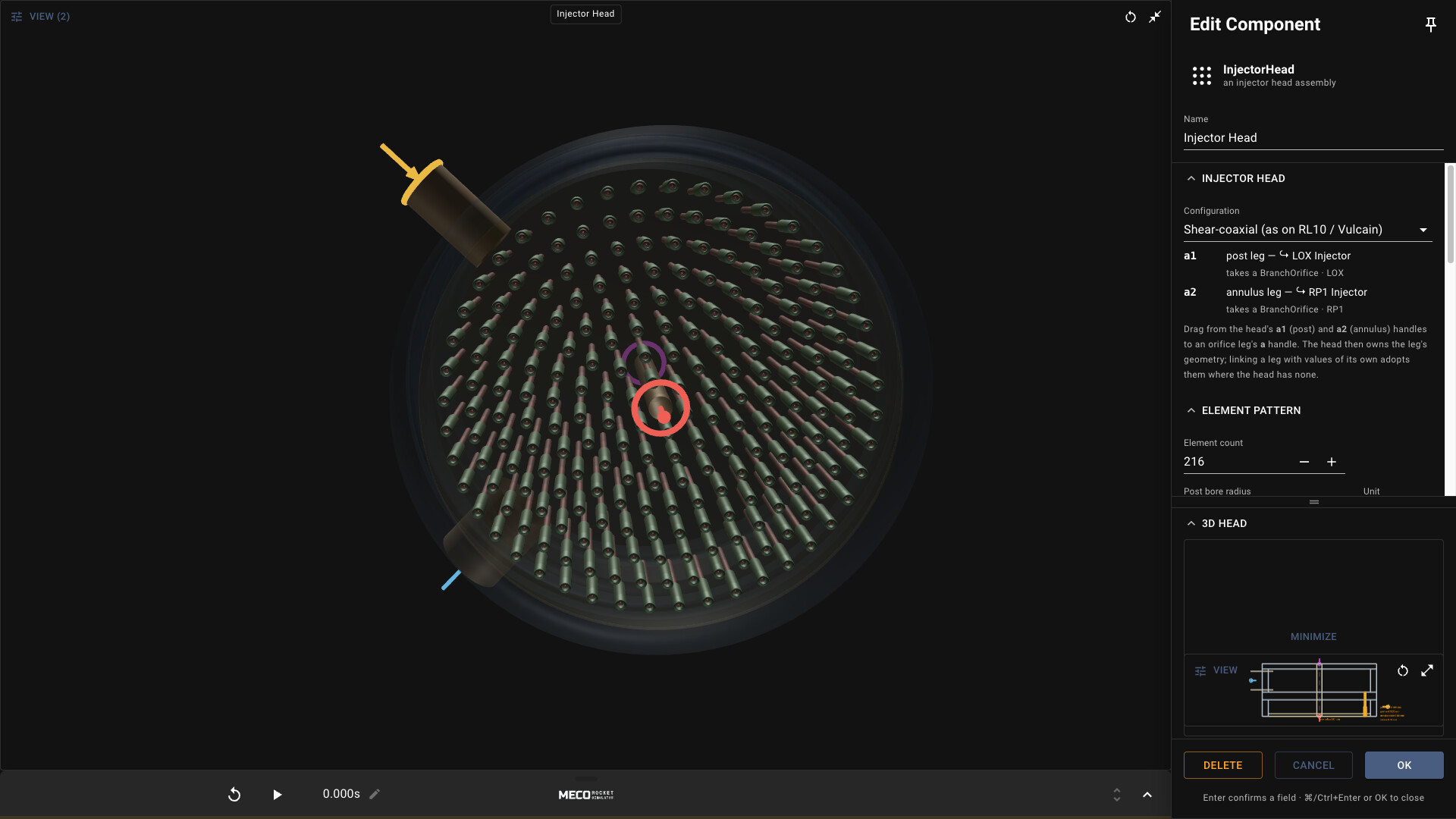
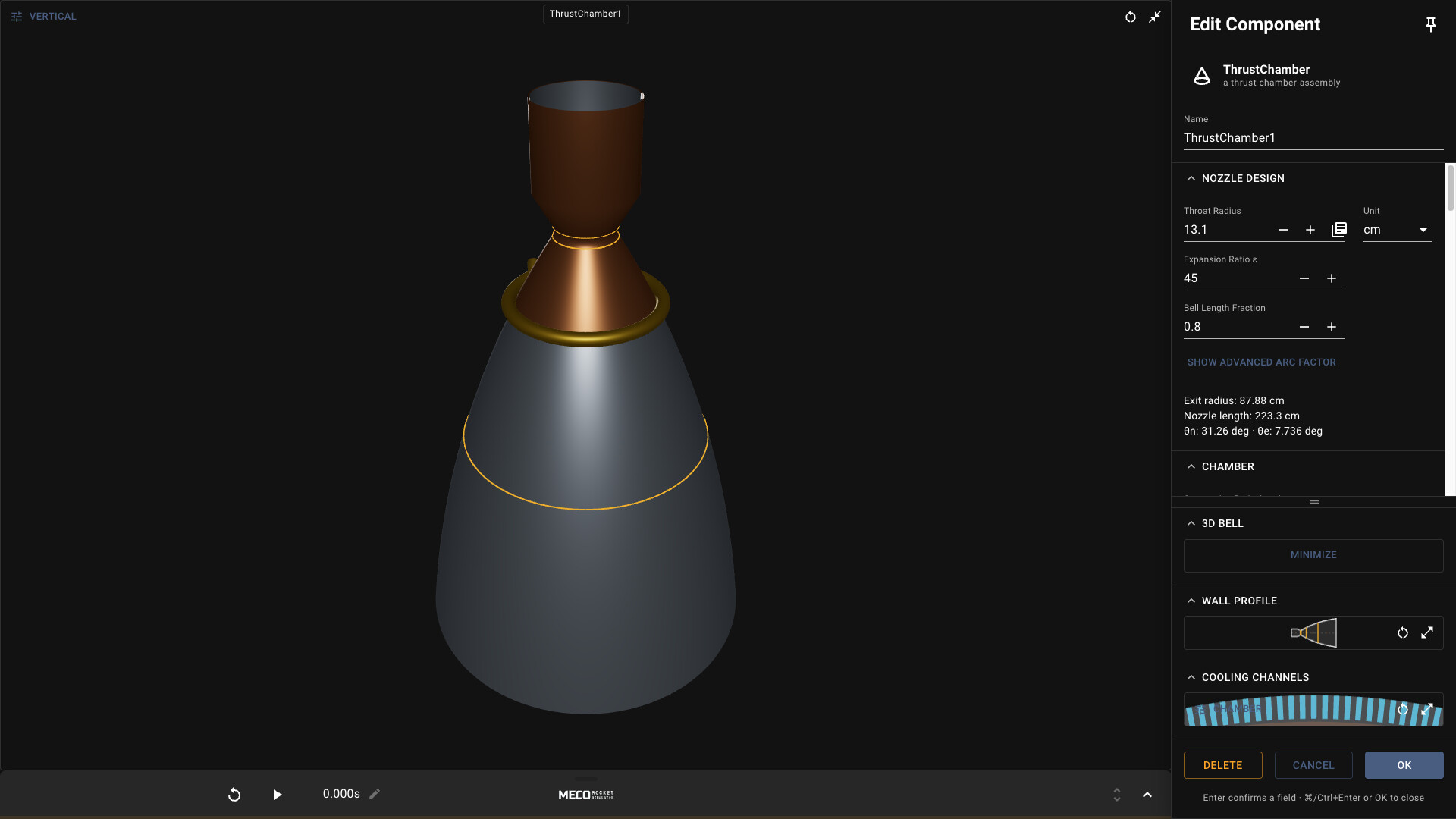
Every numeric change updates live graphs that display chamber pressure, thermal margin, pump performance and thrust integration. The 3D hardware shows the Rao bell nozzle contour, regenerative cooling channels and injector geometry as you type.
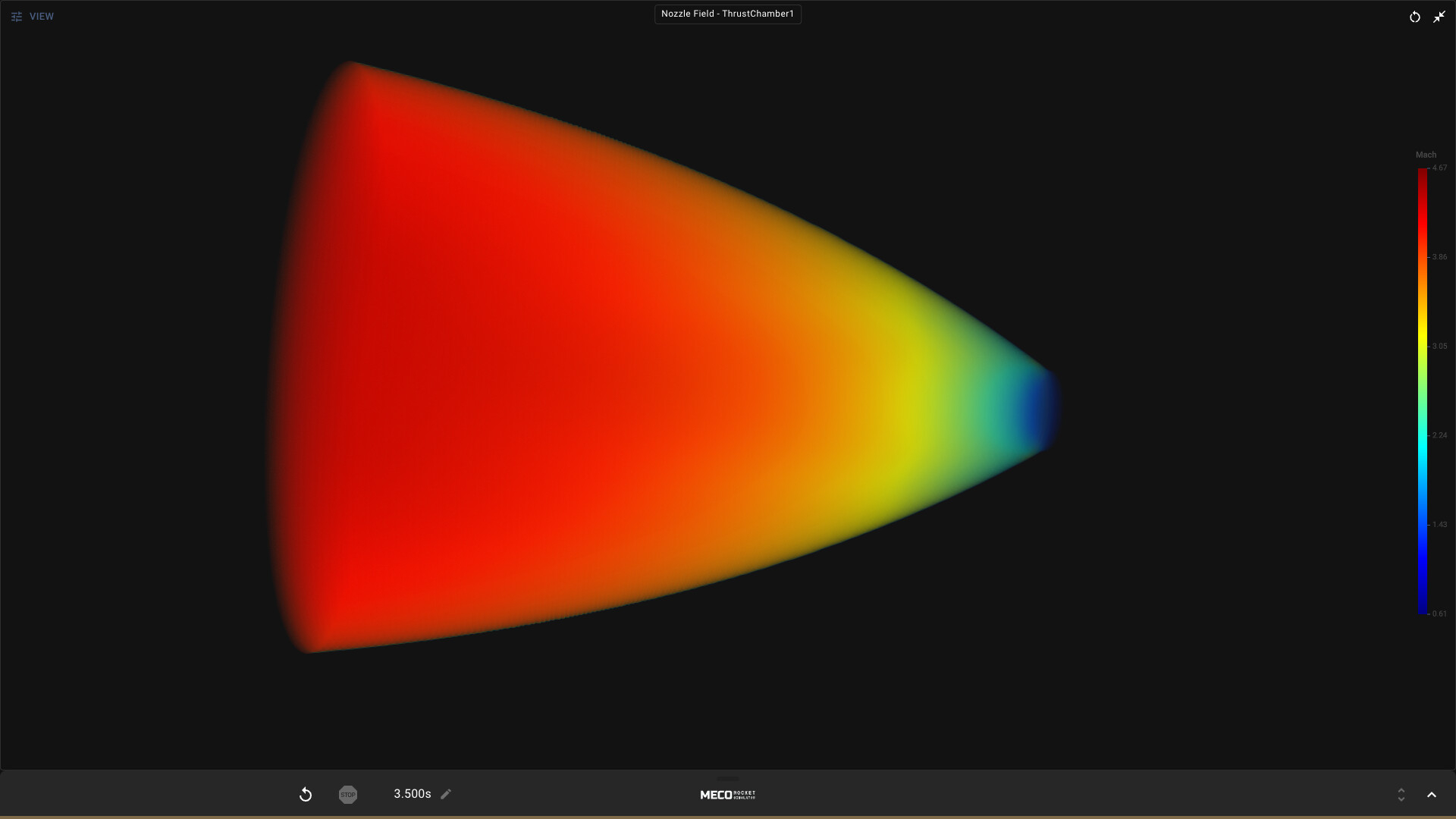
The supersonic flow field renders as a 3D volume and grays out where flow separates, with thrust calculated by integrating that field rather than using a lookup table.
- Watch the thermal margin graph while tightening cooling channels to avoid margin shrinkage.
- Observe the flow‑separation shading to understand how nozzle reshaping impacts Isp.
04 / THE GUIDE
Component Builder (Thrust Chamber, Injector, Turbopump)
The Thrust Chamber builds a real Rao bell contour from four numbers and tiles regenerative cooling channels live in 3D. The Turbopump sizes its own shafts and gears automatically, while the Injector Head can be coaxial or pintle with adjustable orifice legs.
Each component updates its 3D model as you edit, and the wells repaint in real time, letting you see how geometry changes affect performance curves.
- Experiment with coaxial versus pintle injector types to see how element pattern influences chamber pressure.
- Adjust nozzle shape and immediately read the Isp change on the thrust graph.
05 / THE GUIDE
Pro Content Add‑on
An optional add‑on provides a soundtrack, technical reference PDFs, high‑resolution wallpapers and 3D‑printable STL/3MF component models. These assets are intended for players who want extra lore and printable hardware for personal projects.
The add‑on supplies supplementary material that can be used alongside the core simulation.
- Use the PDFs to cross‑reference the simulation’s equations with real‑world data.
- Print the STL models to build a physical mock‑up of your designed injector.

COMMUNITY
Player discussion