 GameWiki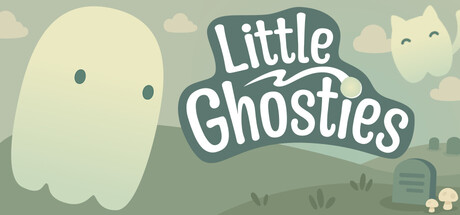
GET YOUR BEARINGS
About Little Ghosties
Little Ghosties is a cozy idle desktop companion where ghosts live inside a movable terrarium on your screen. You hatch eggs, feed the ghosts, and watch them grow from Wisps to Fully Grown forms while you work, study, or browse.
The game runs without timed input, lets you save anytime, and uses a mouse‑only option. Ghosts produce Ghost Slime, which you collect with the Hoover to exchange for new eggs, and you can unlock additional terrariums that match the season or your mood.
01 / THE GUIDE
Hatch and Growth
A ghost egg hatches and a tiny Wisp appears. The Wisp presses the button to earn Button Currency, and you can spend that currency on food, toys, and new terrariums.
Feeding the Wisp lets it progress through Juvenile to Fully Grown stages. Each stage changes the ghost’s appearance and continues the button‑pressing loop.
- Watch how quickly a newly fed Wisp begins pressing the button.
- Notice the visual change when a ghost moves from Juvenile to Fully Grown.
02 / THE GUIDE
Ghost Slime Collection
As ghosts mature, they generate Ghost Slime. You use the Hoover tool to gather slime from the terrarium floor.
Collected slime can be exchanged for new ghost eggs, allowing you to start additional hatch cycles.
- Use the Hoover regularly to keep slime from covering the terrarium.
- Check slime quantity after each collection to see how many eggs you can afford.

03 / THE GUIDE
Terrarium Unlocking
The game offers multiple terrariums that can be unlocked. Each terrarium provides a different visual backdrop for your ghosts.
Terrariums can be selected through a menu that disappears when not in use, keeping the desktop uncluttered.
- Try different terrariums to see which visual style you prefer.
- Open the menu briefly to switch terrariums without moving the ghosts.
04 / THE GUIDE
Idle Economy
Ghosts press a button automatically, generating Button Currency. You spend this currency on food, toys, and new terrariums.
There is no timed input required, so ghosts continue earning currency while you attend to other tasks.
- Observe the button counter to gauge how much currency is being earned.
- Balance spending on food and toys to keep ghosts active.
05 / THE GUIDE
Desktop Integration
Little Ghosties runs as a desktop companion; you can move and resize the terrarium anywhere on the screen.
Menus hide when not in use, and the game supports a mouse‑only option, allowing ghosts to stay visible without interfering with other applications.
- Place the terrarium near a screen edge to keep it visible yet out of the way.
- Resize the terrarium to fit your workspace while still seeing the ghosts.


COMMUNITY
Player discussion