 GameWiki
GET YOUR BEARINGS
About Learn to Fly 3
Learn to Fly 3 lets you build, customize, and upgrade a spaceship in an arcade‑style setting. Each playthrough awards new parts, letting you experiment with over one hundred distinct components while aiming to reach space.
The title offers four distinct modes—Story, Payload, Classic, and Sandbox—each with its own objective, from earning money and hauling heavy payloads to maximizing horizontal distance or freely tweaking physics constants.
01 / THE GUIDE
Story Mode
Story Mode tasks you with earning money, upgrading your ship, and reaching space. The mode can be approached at a relaxed pace or with time challenges, giving each run a different focus.
Because lighter ships tend to reach space more easily, players often balance thrust, fuel, and weight when selecting bodies, boosters, and upgrades across multiple attempts.
- Swap bodies and boosters between runs to compare thrust‑to‑weight ratios.
- Prioritize upgrades that boost thrust before adding heavier accessories.
02 / THE GUIDE
Payload Mode
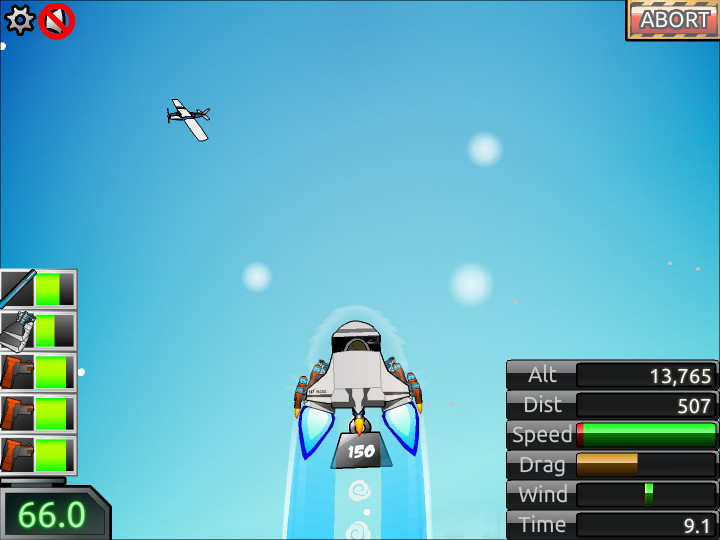
Payload Mode requires a stronger ship capable of pulling heavy payloads into space. The added mass demands significantly more power than in Story Mode, pushing you to prioritize thrust and structural strength.
Light ships that reach space easily in Story Mode often lack the power to lift the extra weight in Payload Mode, making upgrade choices critical for success.
- Choose high‑thrust boosters to compensate for the payload’s weight.
- Test the payload early in a run to avoid wasted upgrades later.
03 / THE GUIDE
Classic Mode
Classic Mode mirrors earlier Learn to Fly titles, rewarding the greatest horizontal distance rather than altitude. The goal forces you to think about aerodynamics and fuel efficiency over pure ascent.
Because distance is the focus, low‑drag bodies and efficient fuel use often outperform high‑thrust setups that quickly deplete fuel without extending range.
- Experiment with bodies that have minimal drag to keep speed high.
- Consider upgrades that lower fuel consumption for longer runs.
04 / THE GUIDE
Sandbox Mode
Sandbox Mode removes typical limits, providing infinite fuel, 100× gravity, and over‑powered thrusters. This open setting lets you test how each part behaves under extreme conditions.
With unlimited fuel and extreme gravity, you can isolate the impact of thrust versus drag, revealing which components remain stable when forces are amplified.
- Set gravity to a high value and observe which bodies stay upright.
- Use infinite fuel to compare thrust output without worrying about depletion.
05 / THE GUIDE
Customization Options
The game offers a customizable HUD, character and ship colors, and music tracks. These visual and auditory tweaks let you personalize the experience without altering core mechanics.
Each playthrough unlocks new items and bonuses to work with, alongside the customizable colors and music while the underlying gameplay remains consistent.
- Pick HUD colors that contrast with the background for easier reading.
- Select ship colors that stand out against obstacles to track movement.
COMMUNITY
Player discussion