 GameWiki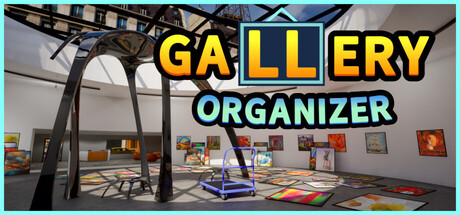
GET YOUR BEARINGS
About Gallery Organizer
Gallery Organizer is a single‑player casual simulation where you tidy a chaotic art gallery into a curated exhibition. You examine each painting, decide its art category, and hang it in the correct spot while soothing music plays.
Before you start, you can pick a gallery size that fits a quick session or an hour‑long challenge, and you can select one of four difficulty levels. Real‑world artworks, customizable soundtracks, save‑anytime, and Steam Cloud are listed as core features.
01 / THE GUIDE
Artwork Categorization
When you look at a painting, the game asks you to figure out which art category it belongs to before hanging it. Placing a piece in the correct category contributes to a tidy exhibition and fulfills the core sorting loop.
Each gallery is generated uniquely, so the mix of artworks you encounter changes each time you start. This variation keeps the categorization task fresh without repeating the same set of paintings.
- Notice visual cues such as style, subject, or dominant colors before assigning a category.
- If you are unsure, you can place a piece temporarily and adjust later, as the game allows saving at any moment.
02 / THE GUIDE
Gallery Size and Difficulty
You may choose the size of the gallery, ranging from a quick session to a game that lasts hours. This lets you match the length of play to your available time.
Four difficulty levels are offered, providing a fresh challenge each time you start a new gallery. Difficulty influences how demanding the sorting task feels.
- Select a smaller gallery for a relaxed, short experience.
- Raise the difficulty when you feel comfortable to increase the sorting challenge.

03 / THE GUIDE
Power‑Ups
Power‑ups are described as handy tools that help you sort and hang paintings faster. They are optional aids that can streamline organization when you choose to use them.
The presence of power‑ups does not alter the relaxing nature of the game; they simply provide efficiency for players who want it.
- Try a different power‑up each session to see which matches your sorting style.
- Reserve power‑ups for larger galleries if you want extra help sorting and hanging faster.
04 / THE GUIDE
Audio Settings
The game includes a variety of soundtracks and custom volume controls, allowing you to tailor the auditory experience to your preference while you organize the gallery.
Stereo sound and adjustable volume let you enjoy soothing music without distraction, supporting the game’s relaxed pacing.
- Experiment with different soundtracks to find the most calming background.
- Adjust volume levels if you prefer the music louder or softer than the default.
05 / THE GUIDE
Save and Cloud Features
You can save your progress at any time, ensuring you never lose a partially completed exhibition. The “Save Anytime” feature is listed explicitly.
Steam Cloud support is also listed, meaning the game can store save data through the Steam service. This allows you to continue a gallery after closing the game.
- Use the save‑anytime option before taking a break to preserve your current layout.
- If you play on multiple devices, keep Steam Cloud enabled so the service can store your saves.


COMMUNITY
Player discussion