 GameWiki
GET YOUR BEARINGS
About Focus Grove
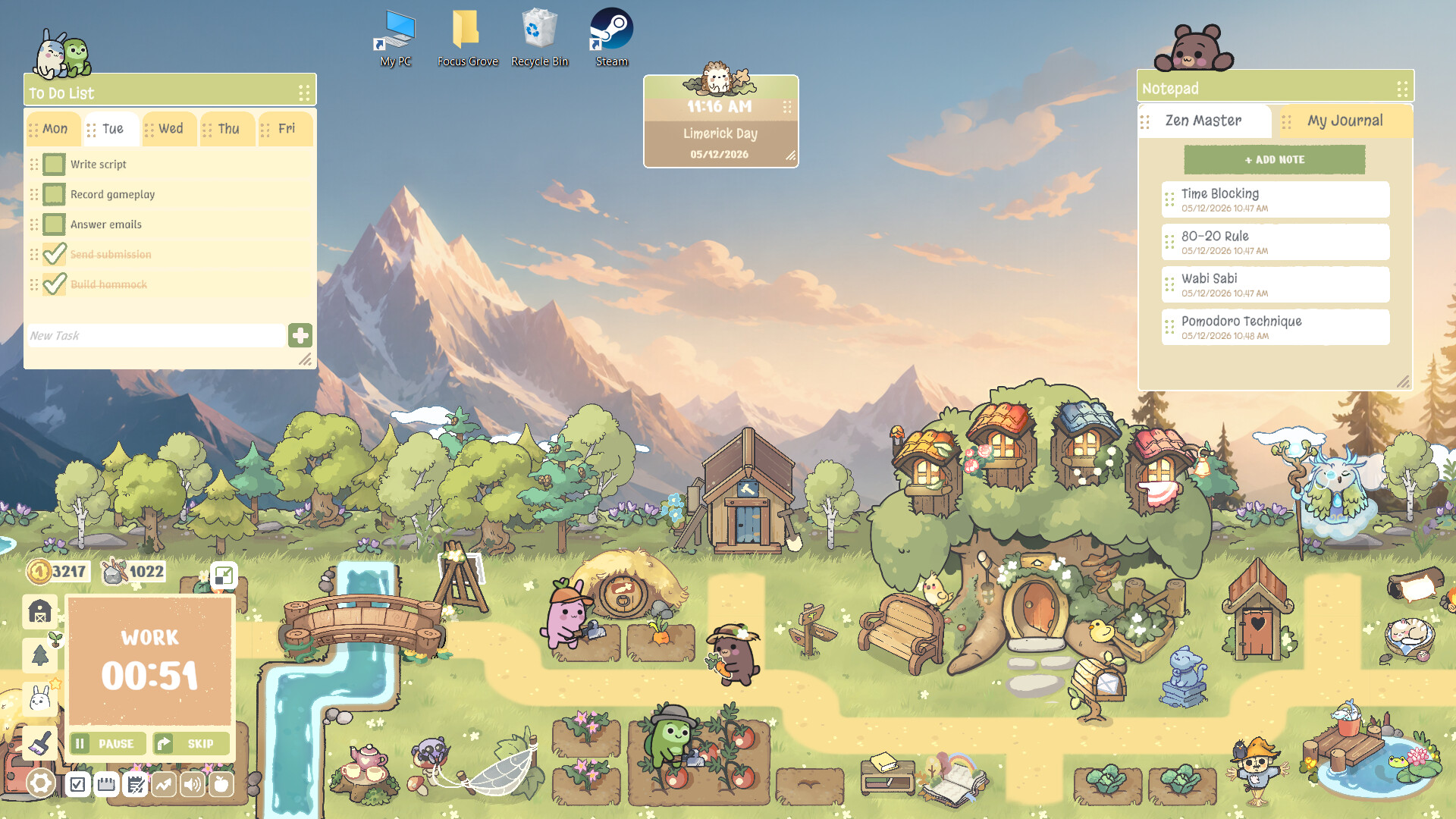
Focus Grove blends productivity tools with a gentle simulation, letting you manage real‑world tasks while nurturing a cozy forest farm. The Pomodoro timer, task tracker, habits log and notepad keep you organized, and each completed chore fuels growth for your Woodling companions.
As you work, ambient nature sounds and customizable layouts create a calm atmosphere. Progress unlocks new animals, outfits, and decorations for your Tree House, turning daily focus sessions into a rewarding, living village you can watch flourish.
01 / THE GUIDE
Pomodoro Timer
The built‑in Pomodoro timer structures work into focused intervals, helping you maintain concentration. When a session ends, the app signals a short break before the next cycle begins.
Using the timer repeatedly contributes to your overall work statistics, which are displayed in the app’s summary screens. This feedback lets you see how many focused periods you’ve completed over time.
- Try matching the timer length to the type of task you’re handling for smoother flow.
- Observe how break length affects your subsequent focus bursts and adjust accordingly.
02 / THE GUIDE
Task Tracker
Focus Grove’s task tracker lets you list real‑life duties, from study sessions to household chores. Each entry can be marked complete, which then counts toward your daily progress.
Completed tasks also feed the farm’s growth system, turning productivity into visual rewards. The tracker works alongside the habits log, giving a broader picture of your routines.
- Group similar chores together to clear them faster and see larger farm growth spikes.
- Review the tracker at day’s end to identify patterns in your most productive periods.
03 / THE GUIDE
Woodling Farm Growth
Every task you finish adds to the development of a forest farm populated by Woodling companions. As the farm expands, new animals, hats, dresses and Tree House skins become available.
The farm’s visual progress is tied directly to your real‑world productivity, offering a gentle reminder that consistent effort yields a lively, evolving environment.
- Prioritize tasks that you enjoy marking complete to see quicker farm upgrades.
- Take note of which animals appear after certain milestones to set personal goals.
04 / THE GUIDE
Ambient Nature Sounds
A selection of nature audio loops can be turned on while you work, aiming to improve focus. The sounds play in the background without requiring timed input.
You can adjust volume independently, and the option works with both mouse‑only and touch‑only control modes, ensuring a calm backdrop regardless of how you interact with the app.
- Experiment with different sound themes to find the one that best masks distracting noise.
- Lower the volume slightly during intense focus periods to keep attention sharp.
05 / THE GUIDE
Adjustable Tools Layout
Focus Grove lets you freely arrange its productivity tools—timer, tracker, notepad, and more—into a layout that matches your workflow. Whether you’re studying, planning, or watching videos, you can reposition elements to suit the activity.
You can adjust the layout freely, so each activity can have an arrangement that suits it, supporting a smooth transition between tasks.
- Create a dedicated “study” layout with the timer and notepad front‑and‑center for quick access.
- Save a minimal layout for short breaks, keeping only ambient sounds and a simple task list visible.


COMMUNITY
Player discussion