 GameWiki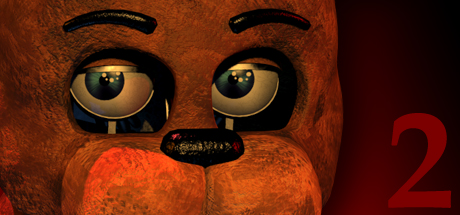
GET YOUR BEARINGS
About Five Nights at Freddy's 2
Welcome back to the new and improved Freddy Fazbear's Pizza, where aging animatronics share the stage with a fresh, kid‑friendly cast. The venue boasts facial‑recognition tech linked to local criminal databases, promising a safe show for all ages.
As the night‑shift security guard, you monitor camera feeds and rely on an empty Freddy Fazbear head to deter any animatronic that might wander into the office. Your goal is to survive each after‑hours watch without incident.
01 / THE GUIDE
Story and Setting
The game returns players to a renovated Freddy Fazbear's Pizza, featuring both old and new animatronics under a promise of safety and entertainment for children and adults alike.
You assume the night‑shift guard role after the previous guard was reassigned to day‑shift, tasked with overseeing the venue after hours.
- Note the contrast between old and new characters.
- Observe any visual cues indicating a shift in atmosphere.
02 / THE GUIDE
Animatronic Behavior
The animatronics are described as kid‑friendly and equipped with the latest facial‑recognition technology, connected to local criminal databases for added security.
Despite these upgrades, they remain capable of attempting to enter the guard’s office, prompting the need for defensive measures.
- Watch for patterns in animatronic movement.
- Consider how facial‑recognition might affect detection.

03 / THE GUIDE
Camera Monitoring
Your primary duty each night is to monitor the security cameras, ensuring that nothing goes wrong after‑hours and that animatronics stay out of the office.
The camera system serves as the only direct line of sight you have on the animatronics’ positions throughout the venue.
- Check each camera regularly.
- Prioritize feeds showing high‑traffic areas.
04 / THE GUIDE
Freddy Fazbear Head
You are supplied with an empty Freddy Fazbear head, intended to fool any animatronic that accidentally reaches the office, encouraging it to leave the area.
The head acts as a passive deterrent, relying on the animatronics’ programmed responses to the disguise.
- Keep the head within easy reach.
- Position it where it can be quickly displayed.
05 / THE GUIDE
Safety Disclaimer
Fazbear Entertainment explicitly states it is not responsible for death or dismemberment, underscoring the game's dark thematic tone despite its kid‑friendly veneer.
This disclaimer frames the player's experience as one where danger is an acknowledged, albeit fictional, risk.
- Treat the disclaimer as narrative context.
- Avoid assuming any real‑world safety guarantees.


COMMUNITY
Player discussion