 GameWiki
GET YOUR BEARINGS
About Don’t Pull Me!
Don’t Pull Me! is a physics‑driven parkour title where 1‑4 players are linked by a single rope. Every climb, swing, and grab relies on the rope’s behavior, so each step demands coordination and any slip can send the whole team into chaos.
The game offers multiple maps that increase in difficulty, character color and accessory customization, online voice chat, Steam leaderboards and cloud saves. It runs on Windows and Linux and supports both solo and multiplayer sessions.
01 / THE GUIDE
Rope Physics
All participants are tied together by one rope that reacts to forces, stretch and tension. The rope determines how you swing across gaps, climb ledges, or pull objects, making movement a shared responsibility.
Because the rope follows realistic physics, a mistimed jump or sudden pull can drag teammates into danger. Teams must watch the rope’s state and adjust positions to keep balance.
- Observe rope stretch before committing to a swing; small adjustments can avoid sudden pulls.
- Maintain a steady rhythm so teammates can anticipate changes in tension.
02 / THE GUIDE
Co‑op Interaction
Online co‑op supports up to four players, letting each person grab and carry objects, punch other players while the rope keeps everyone connected.
Voice chat is built in, giving teams a real‑time way to coordinate actions while ragdoll physics mean one player’s move instantly influences the whole group.
- Use voice chat to announce grabs or pushes before they happen.
- Start with gentle punches to learn how force impacts rope balance.
03 / THE GUIDE
Map Variety
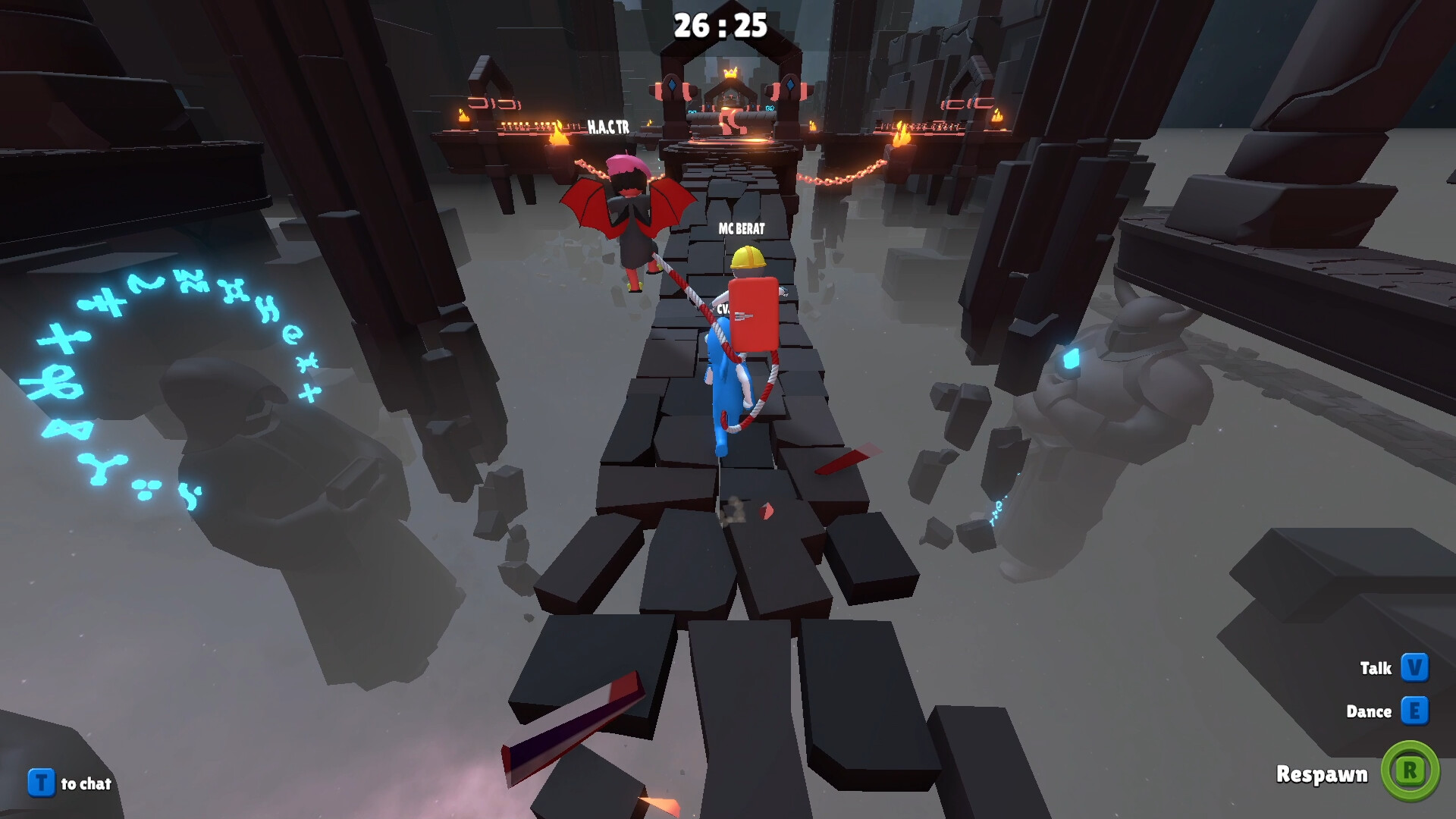
Each map presents a distinct layout of platforms, ledges and swinging sections. As you progress, maps become harder, offering more complex obstacles that test rope handling and teamwork.
Maps also feature objects that can be grabbed and carried, expanding the ways players interact with the environment to move forward.
- Walk through a new map first to spot tricky gaps before attempting fast movement.
- Look for objects you could grab and carry while moving through tricky sections.
04 / THE GUIDE
Character Customization
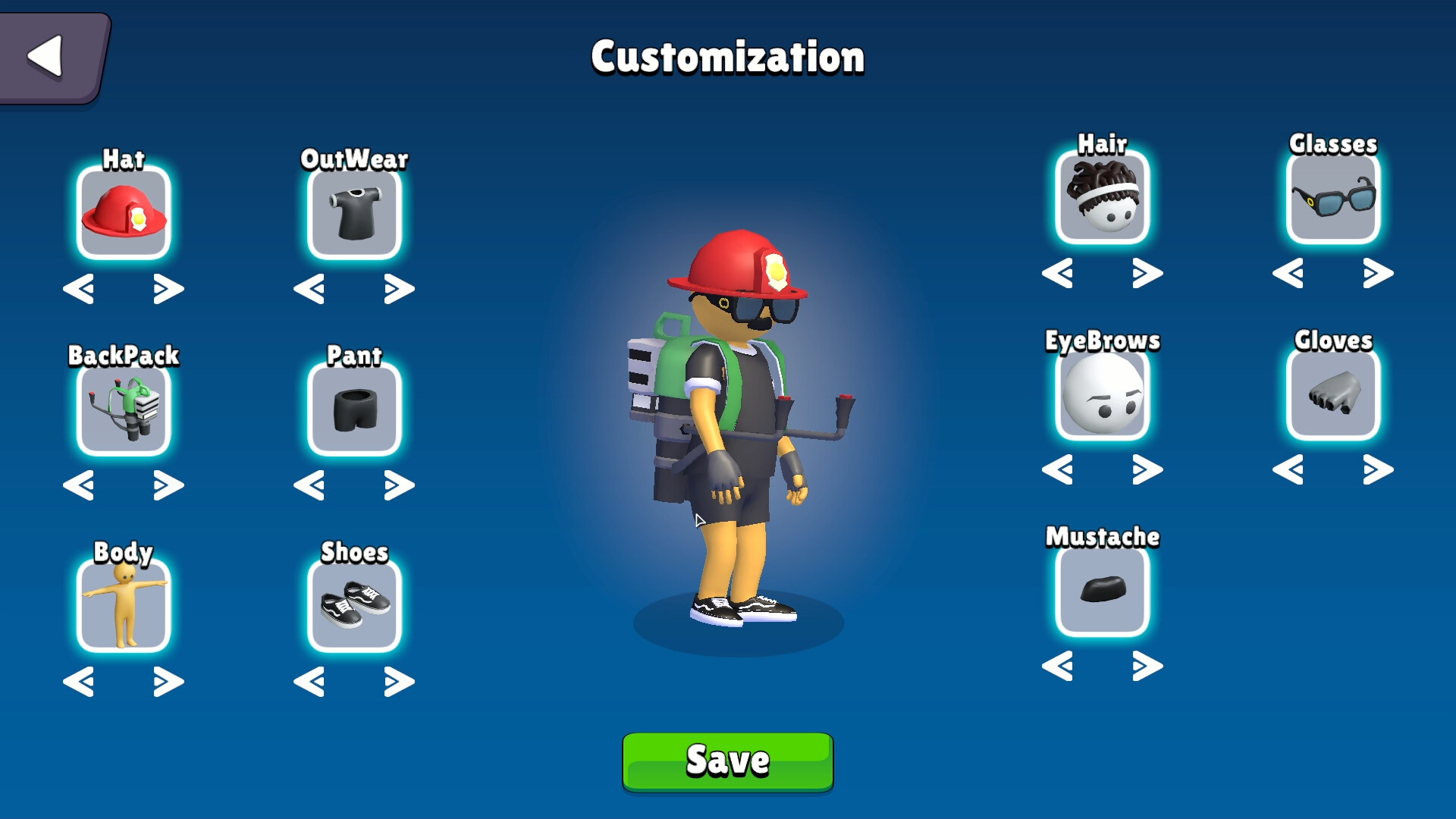
Players can personalize avatars with a range of colors and accessories. These options let you stand out from your friends during runs.
Distinct visual identities help teammates keep track of one another during chaotic moments, especially when ragdoll physics cause rapid movement.
- Pick colors that contrast with typical map backgrounds for easier spotting.
- Experiment with accessories to find a look you enjoy.
05 / THE GUIDE
Steam Integration
The game works with Steam achievements, leaderboards, cloud saves and family sharing, allowing progress to be tracked, compared and transferred across devices.
Additional Steam options include color alternatives and custom volume controls, giving players extra flexibility for visual and audio preferences.
- Check the leaderboards after a run to see how your results compare with others.
- Enable cloud saves if you plan to play on multiple computers.


COMMUNITY
Player discussion