 GameWiki
GET YOUR BEARINGS
About Comedy Night
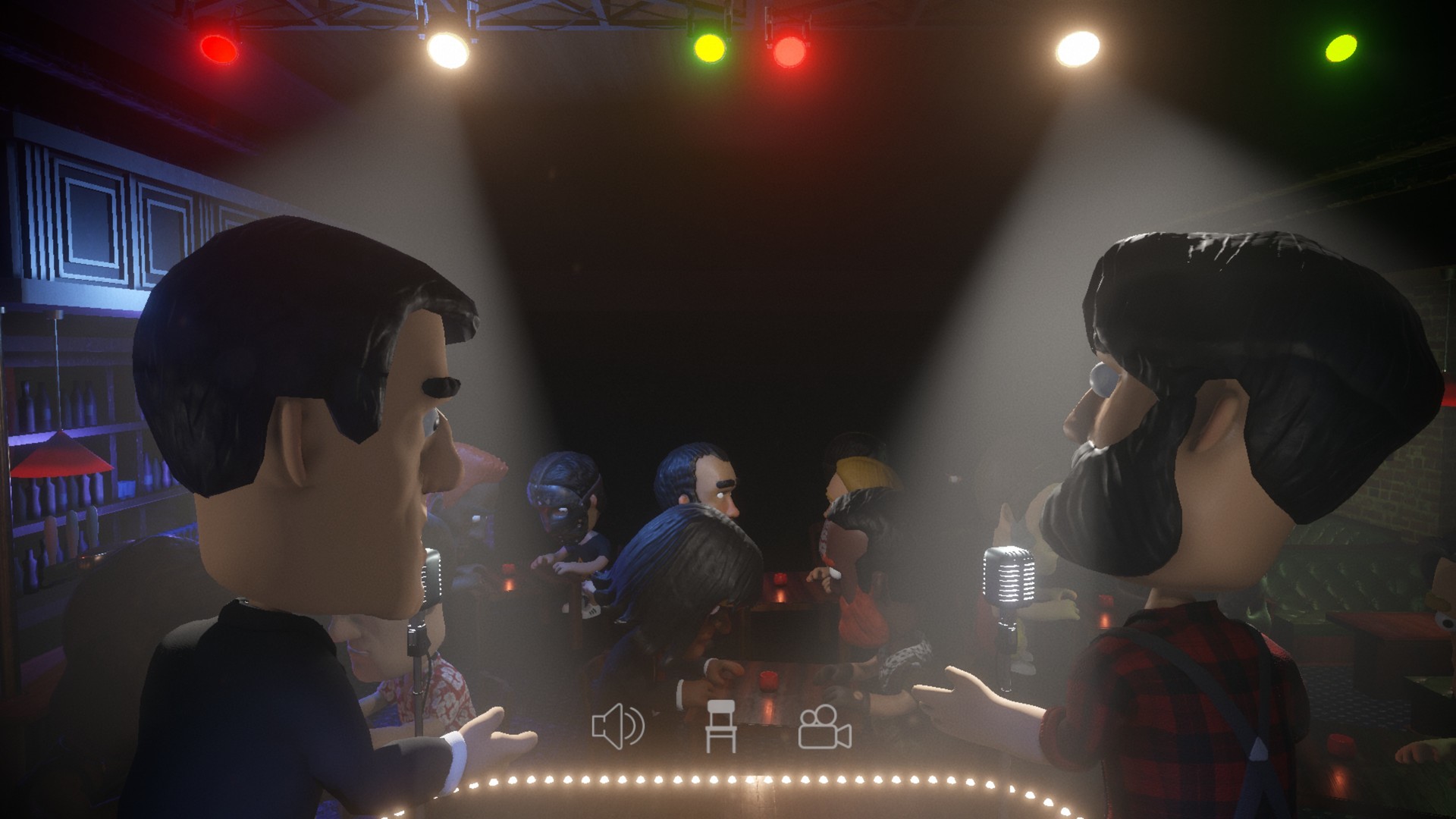
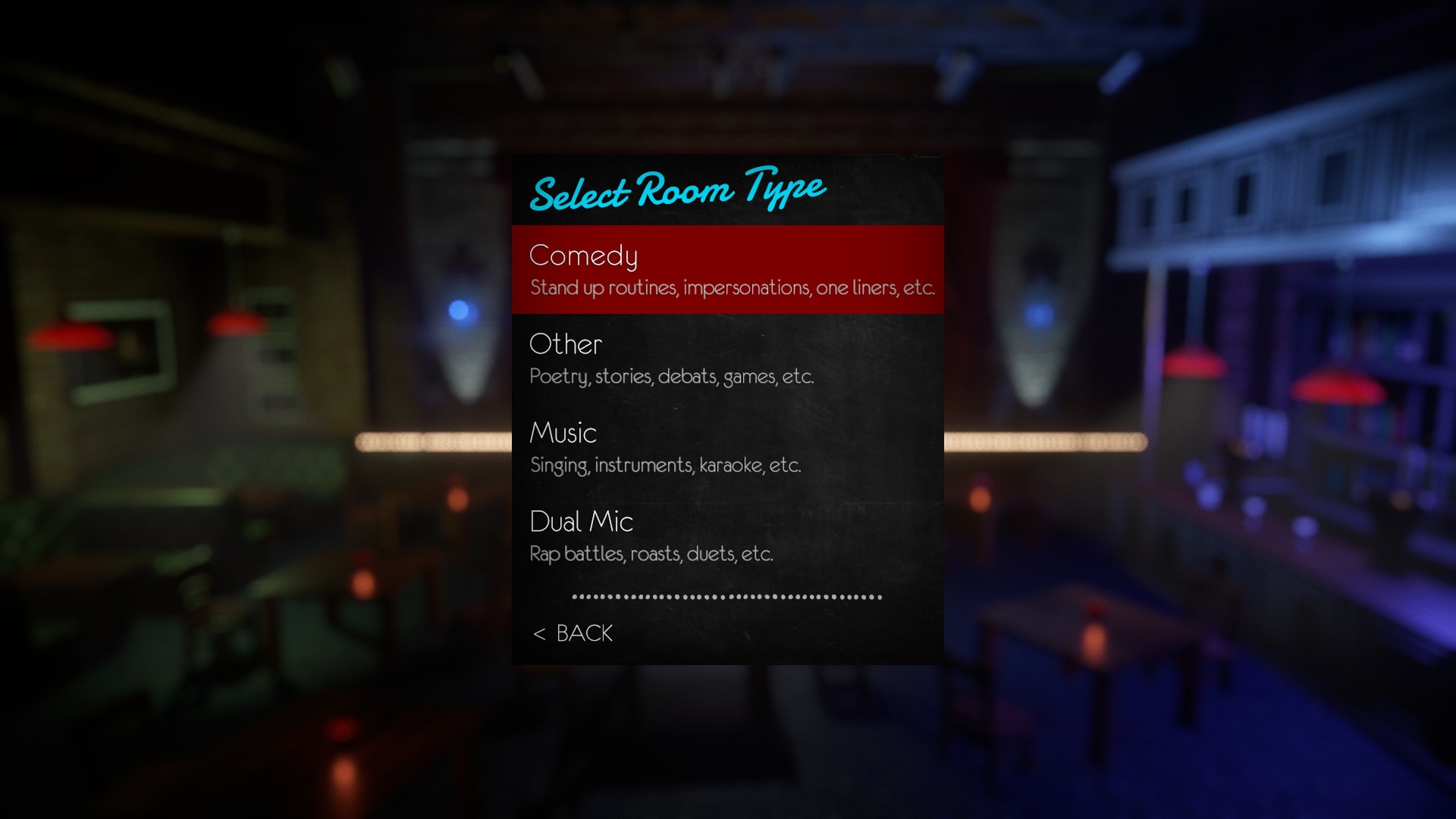
Comedy Night lets players step onto a virtual stage to sing, tell jokes, or share stories with strangers worldwide. Performers can test new material while audiences vote, heckle, or cheer, creating a constantly shifting live‑show atmosphere. The game also offers a robust avatar creator, letting you dress up with many hairstyles, hats, glasses and body types. Multiplayer modes include solo rooms, dual‑mic face‑offs and audience participation, all supported across Windows, macOS and Steam’s cross‑platform features.
01 / THE GUIDE
Live Performances
Players can enter user‑generated rooms, grab the mic and perform for a live audience. Performances may be solo or in dual‑mic rooms where singers and comedians compete head‑to‑head.
The stage time is limited by audience votes; you can be voted off or heckled, making each set a test of how well your act resonates with strangers.
- Observe audience reactions early to gauge which jokes land best.
- Try shorter sets in dual‑mic rooms to keep the competition lively.
02 / THE GUIDE
Audience Role
If you join as a spectator, you decide which performers stay or go by voting. You can also heckle or encourage acts, influencing the show's flow.
Audience banter often becomes as entertaining as the performances themselves, adding a layer of social interaction.
- Use voting strategically to support acts you enjoy.
- Engage with other audience members for richer banter.

03 / THE GUIDE
Avatar Creation
The game includes a customizable avatar system with options for hairstyles, bodies, hats and glasses, letting you craft a persona that fits your performance style.
Your avatar appears on stage and in the audience, adding visual flair to both performing and watching.
- Experiment with bold hats or glasses to make your stage presence memorable.
- Match your avatar’s vibe to the type of act you plan to deliver.
04 / THE GUIDE
Multiplayer Modes
Comedy Night supports multiplayer experiences such as co‑op rooms, PvP dual‑mic battles, and online cross‑platform play, allowing friends and strangers to interact together.
Steam leaderboards and stats track performance, while trading cards and family sharing add extra community features.
- Try both co‑op and PvP rooms to see which format suits your style.
- Check leaderboards for inspiration from top performers.
05 / THE GUIDE
Platform Support
The game runs on Windows and macOS, with partial controller support for those who prefer gamepads. Steam features like trading cards and family sharing are also available.
Linux is not listed as a supported platform, so the game is unavailable there.
- If you use a controller, test the partial support to see which actions feel comfortable.
- Utilize family sharing to let multiple accounts try the game without extra purchases.


COMMUNITY
Player discussion