 GameWiki
GET YOUR BEARINGS
About Bridge Constructor Portal
Bridge Constructor Portal drops you into Aperture Science’s test labs, where you must design bridges, ramps, slides and other structures across 60 chambers. As a new employee you guide Bendies in their vehicles to the finish line while employing classic Portal gadgets.
The game blends the physics‑based construction of Bridge Constructor with the puzzle‑solving of Portal, featuring GLaDOS’s narration, a level editor for custom chambers, and full controller support. It is available on Windows, macOS and Linux as a single‑player experience with Steam integration.
01 / THE GUIDE
Bridge Construction Mechanics
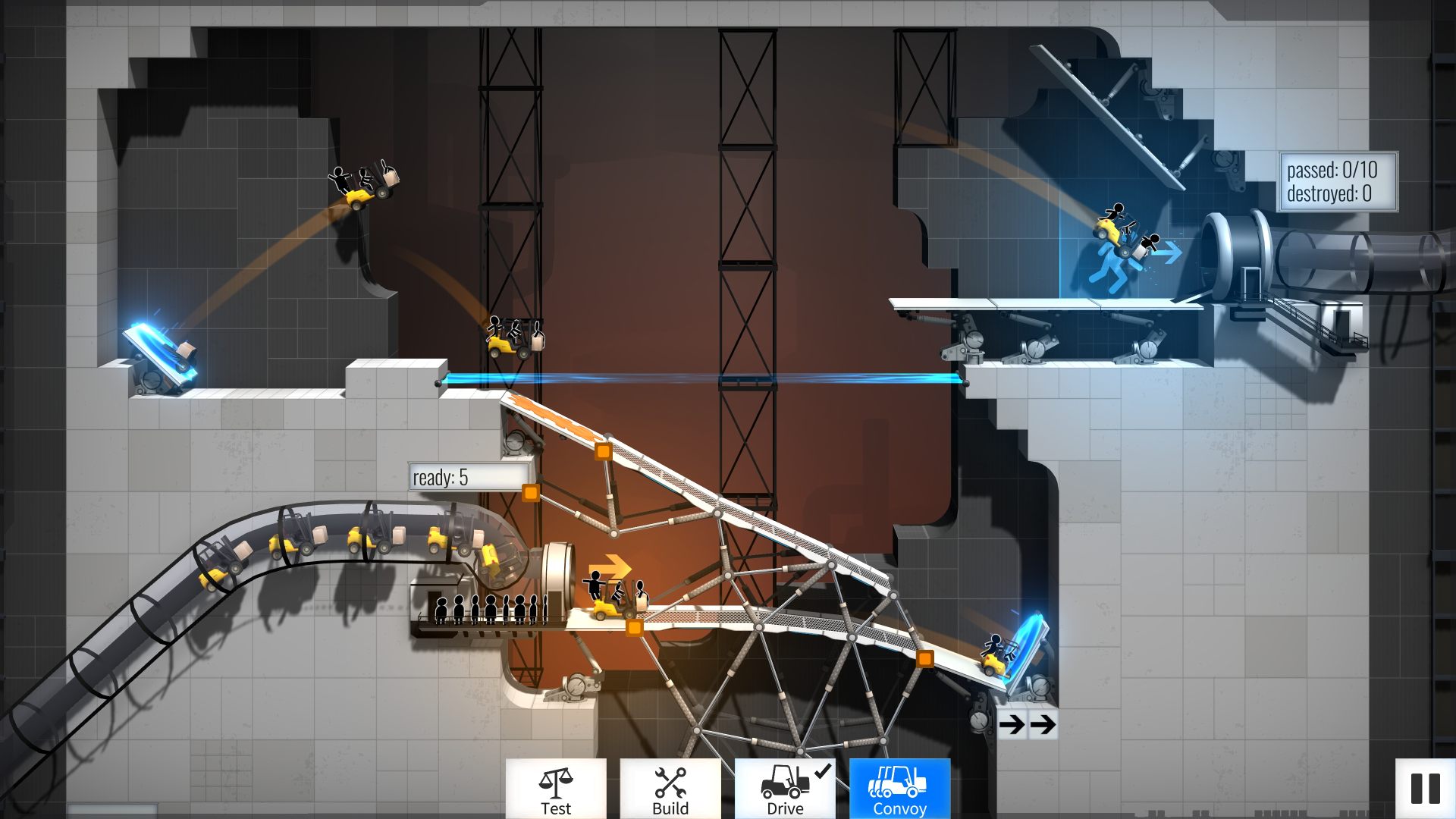
Players build bridges, ramps, slides and other structures to move Bendies across each test chamber. The constructions must support the vehicles’ weight and reach the designated finish line.
The physics engine evaluates the stability of each build, requiring careful placement of supports and consideration of the terrain. Successful designs allow Bendies to cross safely, either alone or in a convoy.
- Experiment with different support angles to find the most stable configuration.
- Observe how vehicle weight affects bridge sag and adjust reinforcement accordingly.
02 / THE GUIDE
Portal Gadgets
The game provides classic Portal tools such as portals, propulsion gel, repulsion gel, aerial faith plates, and cubes. These gadgets help players bypass obstacles and solve puzzles within the chambers.
Gadgets can be combined with constructed bridges to create complex routes, allowing Bendies to avoid hazards like turrets and laser fields while reaching the exit.
- Use propulsion gel on ramps to boost vehicle speed.
- Place repulsion gel on surfaces where you need to launch the vehicle upward.
04 / THE GUIDE
Level Editor
Bridge Constructor Portal includes a Level Editor that lets players create their own test chambers. Designs can incorporate construction tools and Portal gadgets as you build your own test chambers.
Created chambers can be shared with the community through Steam Workshop, allowing others to download and attempt the custom challenges.
- Start with a simple layout and gradually add gadgets to test difficulty.
- Test your chamber multiple times before publishing to ensure all paths are solvable.
05 / THE GUIDE
Platform Features
The title runs on Windows, macOS and Linux and supports full controller input. It also integrates with Steam services such as Achievements, Trading Cards, Steam Cloud and Remote Play on phone, tablet and TV.
Family Sharing is enabled, allowing multiple accounts on the same device to access the game without repurchasing.
- Steam Cloud is among the game's listed Steam features, so you can check its settings in your Steam client.
- Use Remote Play on a tablet for a more relaxed building experience.


COMMUNITY
Player discussion