 GameWiki
GET YOUR BEARINGS
About Arcus Chroma: Classic
Arcus Chroma: Classic is an early‑access fighting game developed by Gx Development and Gimma Games. It introduces a “Hyper‑Flow” combat style that removes the jump button, emphasizing grounded movement, dodging, and combo creation across eleven playable characters and four stages.
The title supports full controller use, local split‑screen PvP, and Steam Remote Play Together or Parsec for online matches. Community discussion is encouraged on Discord, where ideas about characters, stages, and visual design can influence future updates and the planned sequel, Dimensional Shift.
01 / THE GUIDE
Hyper‑Flow Combat
The Hyper‑Flow system replaces the traditional jump input with a focus on fast, free‑flowing ground movement and a dedicated dodge mechanic. This design requires players to rely on positioning and timing rather than aerial attacks, shaping each encounter around grounded strategy.
Because jumping is unavailable, combos must be built from standing and crouching attacks combined with dodge‑linked follow‑ups. Mastery involves learning how each character’s moves chain on the ground and how the dodge can open new attack windows.
- Test different dodge timings to see which create the longest combo windows.
- Compare how each character’s ground attacks link together without using jump.
02 / THE GUIDE
Local Versus Mode
Local Versus allows two players to compete on the same machine using split‑screen. The mode can be played against another human or the CPU, providing a direct way to experience Hyper‑Flow mechanics in head‑to‑head combat.
Split‑screen presentation lets each participant see their own perspective while sharing the same display. This setup is useful for testing character match‑ups and observing how the dodge and combo systems feel in real‑time against a live opponent.
- Start with CPU opponents to learn character move sets before challenging a friend.
- If the shared display feels cramped during longer matches, consider adjusting your seating or screen setup instead.
03 / THE GUIDE
Training Mode
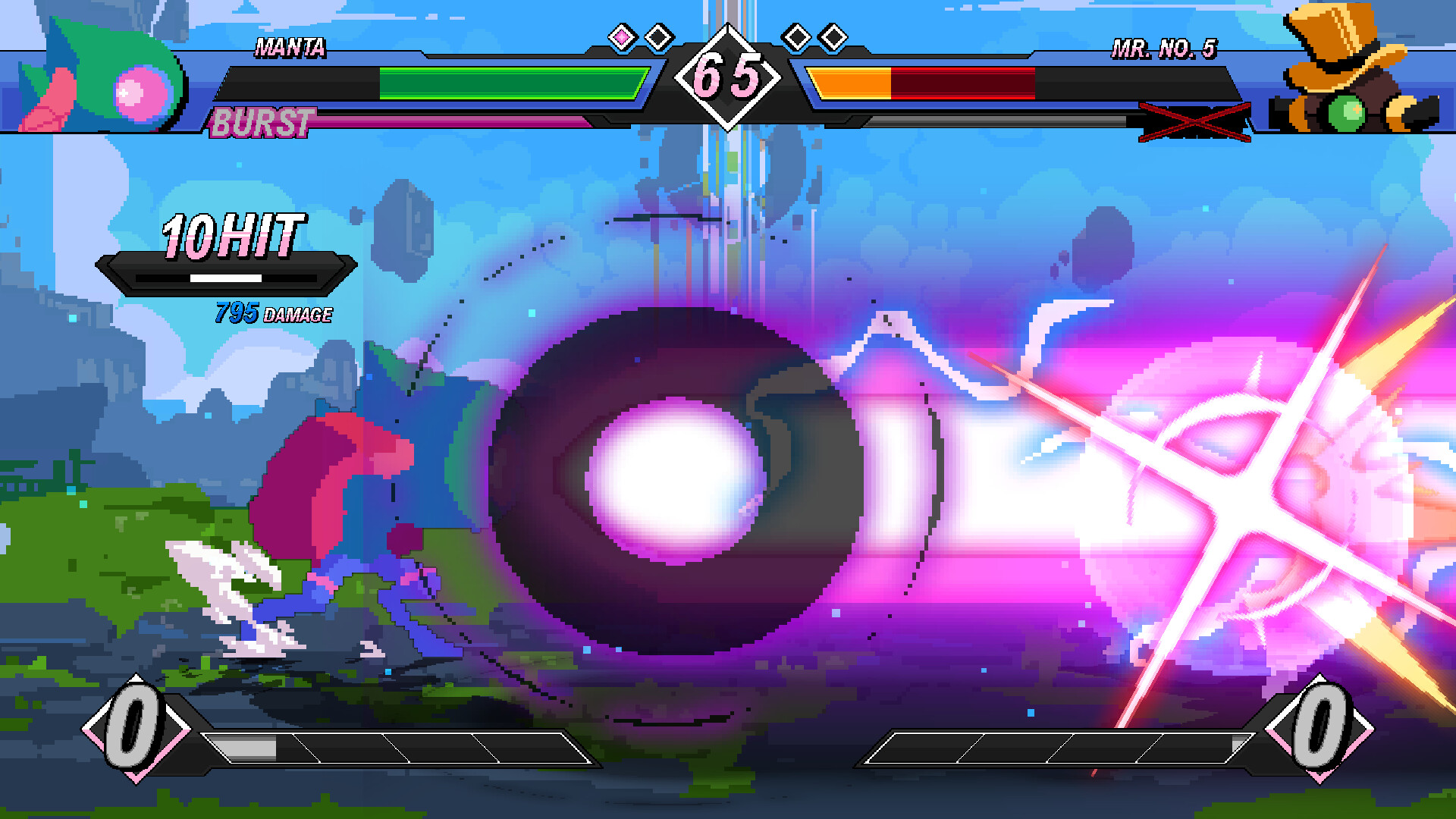
Training mode offers a sandbox environment where players can practice combos, movement, and dodge timing without the pressure of a live opponent. The game's playable characters can be practiced there, allowing focused experimentation on each move list.
The mode includes basic controls and visual feedback, making it suitable for rehearsing the creative combo system. Players can isolate specific attacks to see how they chain, helping to refine personal playstyles before entering Versus matches.
- Isolate a single character and repeat a short combo to gauge consistency.
- Use the dodge repeatedly to discover which attacks can follow most reliably.
04 / THE GUIDE
Remote Play & Parsec
Arcus Chroma does not include built‑in online multiplayer, but it supports Steam’s Remote Play Together feature and third‑party applications such as Parsec. These tools transmit the local split‑screen experience over the internet, enabling remote matches.
Using Remote Play or Parsec builds on the game's controller support for local multiplayer. The approach preserves all local gameplay mechanics, including Hyper‑Flow combat and split‑screen display, while extending multiplayer beyond the same physical location.
- Check your network latency with Parsec before a competitive session.
- Confirm controller input is recognized before starting.
05 / THE GUIDE
Community Collaboration
The developers encourage players to join the official Discord server, where discussions cover character concepts, stage ideas, and color palettes. Community feedback is presented as a factor shaping future updates and the upcoming sequel, Dimensional Shift.
Active participation allows players to share specific suggestions, which the team may incorporate into the game’s roadmap. This collaborative environment aims to create a shared sense of ownership over the evolving content.
- Post concrete stage concepts with visual references to aid developer understanding.
- Engage in combo‑sharing threads to discover approaches used by other players.


COMMUNITY
Player discussion